
Smart Thermostat Energy Savings: Complete Guide (2026)
Understanding the real smart thermostat energy savings potential helps you decide whether these devices justify their $130-250 price tags. I installed my first smart thermostat four years ago, skeptical about manufacturer claims of 20-23% energy savings. After tracking my utility bills meticulously for a full year, I discovered the actual savings were more nuanced than advertising suggested—but genuinely significant when used correctly.
Smart thermostats promise to reduce heating and cooling costs through automated scheduling, occupancy detection, weather adaptation, and detailed energy reporting. However, the actual savings you’ll achieve depend heavily on your current thermostat usage patterns, home characteristics, climate zone, and how effectively you configure the smart features.
In this comprehensive guide, I’ll break down exactly how smart thermostats save energy, what savings you can realistically expect based on different scenarios, which features deliver the most impact, how to maximize your returns through proper setup and usage, and whether the investment makes financial sense for your specific situation. By the end, you’ll know precisely what to expect from smart thermostat energy savings and how to achieve the best results.

How Smart Thermostats Actually Reduce Energy Consumption
Smart thermostats achieve energy savings through several mechanisms that work independently and synergistically to reduce unnecessary heating and cooling. Understanding these mechanisms helps you leverage them effectively rather than treating the device as a passive installation.
Automated scheduling eliminates the most common energy waste: heating or cooling an empty home. Traditional programmable thermostats theoretically solve this problem, but studies show that 40-50% of users never program them correctly or at all. Smart thermostats simplify scheduling with learning algorithms that detect your patterns automatically or intuitive apps that make manual programming actually usable. When your system stops heating an empty house for eight hours daily, savings accumulate quickly.
Geofencing uses your smartphone location to detect when you leave home and when you’re approaching, automatically adjusting temperatures accordingly. This addresses the unpredictability that defeats traditional schedules—the nights you stay out late, the days you come home early, or the weekend trips you take spontaneously. The thermostat adjusts in real-time rather than following a rigid schedule that may not match your actual behavior.
Weather adaptation represents a more sophisticated capability. Smart thermostats access local weather forecasts and adjust heating or cooling proactively. If tomorrow will be warmer, the system might reduce overnight heating knowing the temperature will rise naturally. During mild weather, it might extend the deadband (the temperature range where neither heating nor cooling activates) because the home will maintain comfortable temperatures longer without HVAC operation.
Remote control seems like a convenience feature but drives energy savings by enabling last-minute adjustments you’d never make with a traditional thermostat. Leaving work early? Lower the AC from your car so you arrive to a comfortable home without cooling it all afternoon. Stuck at the office late? Delay heating until you actually leave. These micro-adjustments accumulate into measurable savings over months. Understanding how these features integrate with broader home automation systems amplifies their effectiveness.
Realistic Energy Savings: What the Data Actually Shows
Manufacturer claims of 20-23% energy savings make compelling marketing, but real-world results vary dramatically based on your baseline behavior and home characteristics. Let’s examine what independent studies and user experiences actually reveal.
EPA studies on early smart thermostat adopters found average savings of 10-12% on heating and 15% on cooling for typical households. However, this average masks enormous variation: some users saved 25-30%, while others saw minimal 2-5% reductions or even increased usage in some cases. The critical variable wasn’t the thermostat itself but how wastefully the household operated their previous system.
Households upgrading from manual thermostats (not programmable) with irregular adjustment habits see the most dramatic savings, often reaching 15-25%. If you currently heat your empty home all day or forget to adjust temperatures at bedtime, a smart thermostat automates behaviors that would save energy regardless of the technology. You’re essentially paying for automated discipline rather than novel energy-saving technology.
Users replacing programmable thermostats they actually programmed correctly see modest 5-8% additional savings. The improvements come primarily from weather adaptation, geofencing flexibility, and energy reports that encourage behavioral changes. The smart features optimize around your already-efficient baseline rather than correcting wasteful habits.
Climate zone significantly impacts potential savings. Extreme climates with long heating or cooling seasons (northern winters, southern summers) see larger absolute dollar savings even at similar percentage reductions. Moderate climates with shorter seasons save less money despite potentially achieving higher percentage reductions because the baseline energy consumption is lower. A 15% reduction on $2,000 annual HVAC costs saves $300; the same percentage on $800 costs saves only $120.
Home insulation quality affects how much temperature scheduling matters. Well-insulated homes maintain temperatures longer, making precise scheduling more effective. Poorly insulated homes lose heat or cool air quickly, reducing the savings from temperature setbacks because the system must work harder to re-condition the space. If your home’s insulation is inadequate, addressing that issue delivers better returns than any thermostat upgrade.

Calculating Your Potential Savings and Payback Period
Determining whether a smart thermostat makes financial sense for your situation requires calculating your specific potential savings and comparing them against the upfront investment and any installation costs.
Start by examining your current annual heating and cooling expenses. Check utility bills from the past 12 months and separate HVAC costs from other electricity or gas usage. If your bills don’t itemize this clearly, a reasonable estimate is that heating and cooling represent 40-50% of total energy costs for most homes. A household spending $200 monthly on utilities likely allocates $80-100 to HVAC.
Next, honestly assess your current thermostat usage patterns. Do you manually adjust temperatures when leaving home? Does anyone adjust it before bed? Do you heat or cool an empty house regularly? If you already practice most energy-efficient behaviors manually, expect savings on the lower end (5-8%). If your thermostat rarely moves from a constant setting year-round, you’re in the high-savings category (15-25%).
Apply a conservative savings estimate to your annual HVAC costs. Let’s use a realistic example: $1,200 annual HVAC costs, moderate current inefficiency, moderate climate. Conservative 12% savings estimate yields $144 annual savings. A mid-range smart thermostat costs $180 plus $100 professional installation (total $280). Simple payback period: $280 ÷ $144 = 1.9 years. After two years, you’re generating net positive returns.
However, factor in additional considerations that affect the calculation. Utility rebates often reduce upfront costs—many power companies offer $50-100 rebates for smart thermostat installation. Some states provide additional energy efficiency incentives. These rebates can cut payback periods to 12-18 months. Conversely, if you’ll DIY install (saving $100 but spending 2-3 hours), adjust the calculation for the value of your time.
Long-term value extends beyond energy savings. Smart thermostats typically last 10-15 years, matching or exceeding traditional thermostat lifespans. Over a decade, that $144 annual saving accumulates to $1,440, versus a $280 net investment after rebates. The 5:1 return ratio makes the decision financially sound for most households with moderate to high HVAC usage. Those exploring comprehensive smart home investments should consider how thermostat savings contribute to overall efficiency gains.
Top Smart Thermostats for Maximum Energy Savings
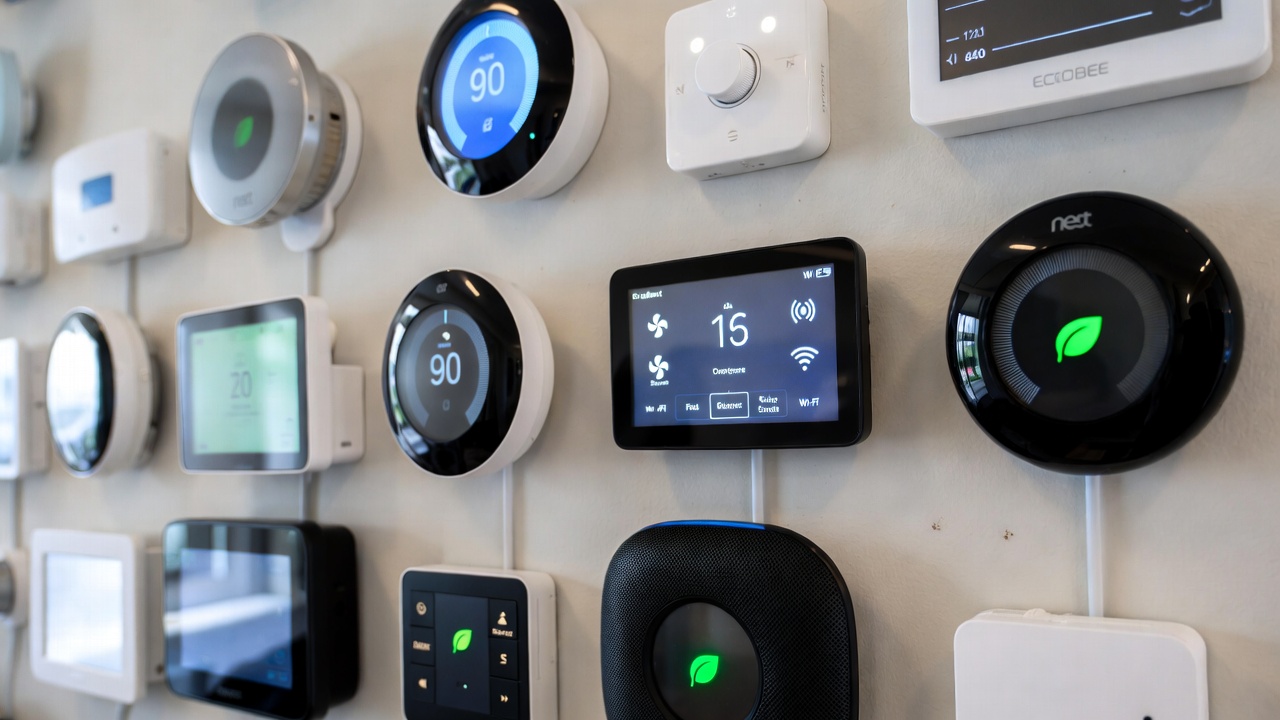
Different smart thermostats emphasize different energy-saving features and approach efficiency optimization through varying strategies. Choosing the right model affects both your savings potential and user experience.
The Google Nest Learning Thermostat at $249 pioneered the category and remains the gold standard for automated energy optimization. Its learning algorithm observes your adjustment patterns for about a week, then creates schedules automatically. The Farsight sensor detects when you walk by, displaying information and learning occupancy patterns. Home/Away Assist uses phone location and internal sensors to detect empty homes reliably. In independent testing, Nest users averaged 10-12% savings, with hands-off automation suiting users who want minimal configuration effort.
The Ecobee SmartThermostat Premium at $249 includes remote sensors that measure temperature and occupancy in multiple rooms, addressing a common efficiency problem: homes with uneven heating or cooling. By sensing actual occupancy and temperature in bedrooms, living areas, and other zones, it conditions occupied spaces rather than just the single location where the main thermostat sits. This zoned approach can save an additional 3-5% compared to single-sensor models in larger or multi-story homes.
The Honeywell Home T9 at $199 offers similar multi-room sensing at a lower price point, using up to 20 remote sensors for extensive coverage. The Resideo app provides detailed energy reports showing usage patterns and suggesting optimizations. The geofencing implementation is particularly reliable, with users reporting fewer false triggers than some competitors. This model suits budget-conscious buyers who still want advanced features.
The Amazon Smart Thermostat at $79 represents the budget category, offering basic scheduling, geofencing, and Alexa voice control without learning algorithms or remote sensors. Energy savings potential is slightly lower (8-10% for typical users) due to simpler automation, but the lower upfront cost creates faster payback periods. This works well for small homes, apartments, or anyone wanting to test smart thermostat benefits before investing in premium models.
For maximum energy savings, prioritize models with learning algorithms (reduces configuration friction), geofencing (handles irregular schedules), and remote sensors if your home has significant temperature variations between rooms. The energy reporting features, while not directly saving energy, help you understand usage patterns and identify opportunities for further optimization. Integrating these devices with other voice assistant capabilities can enhance their utility beyond pure energy savings.
Maximizing Your Energy Savings Through Proper Setup
Simply installing a smart thermostat doesn’t guarantee optimal savings. Proper configuration and strategic usage of advanced features significantly impact your actual energy reduction and cost savings.
Temperature setback strategies deliver the most immediate savings. Research shows that each degree of setback during heating season saves approximately 1% of heating costs. Setting your temperature back 7-10 degrees while sleeping or away can yield 7-10% savings just from this single behavior. Smart thermostats automate this, but you must configure appropriate setback temperatures. I recommend 62-65°F for sleep/away periods in winter, 78-82°F for similar periods in summer.
However, avoid excessive setbacks that force your HVAC system to work harder during recovery periods. Setting temperatures back 15-20 degrees seems more efficient but often isn’t—the system runs longer to recover, potentially using more energy than you saved. The sweet spot for most homes is 7-10 degree setbacks, which balance energy saved during the setback period against energy needed for recovery.
Utilize pre-conditioning strategically by programming the thermostat to reach your desired temperature when you actually arrive home rather than maintaining that temperature continuously. Most smart thermostats estimate how long recovery takes and start heating or cooling automatically. This ensures comfort upon arrival while minimizing the duration of active conditioning.
Configure geofencing appropriately for your household patterns. If everyone in the household has smartphones and you want maximum automation, enable geofencing with a 5-10 mile radius. The system switches to away mode when the last person leaves this area and starts pre-conditioning when the first person enters. For households with people who don’t carry phones or irregular patterns, combine geofencing with scheduled modes to prevent unwanted adjustments.
Enable all available energy reports and review them monthly. Most smart thermostats provide detailed breakdowns showing daily usage, comparisons to similar homes, and specific suggestions for improvement. I check my energy report monthly, which takes about 5 minutes, and consistently discover opportunities for small optimizations that accumulate into measurable savings over time.
Remote sensors should be placed strategically in the rooms you actually occupy rather than throughout the entire house. Place sensors in bedrooms for overnight comfort, living areas for daytime use, and skip sensors in rarely-used spaces. Configure the thermostat to prioritize occupied sensors, which ensures you’re conditioning actively-used spaces rather than empty rooms that happen to be warm or cool.
Common Mistakes That Reduce Energy Savings
Many smart thermostat users inadvertently undermine their energy savings potential through configuration errors, misunderstandings about how the devices work, or habits that conflict with efficient automation.
The most common mistake is constantly overriding the automated schedule with manual adjustments. Smart thermostats learn from consistent patterns; frequent manual changes confuse the learning algorithm and prevent it from establishing effective automation. If you find yourself adjusting temperatures multiple times daily, you likely need to reconfigure your schedule or setback temperatures rather than fighting against the automation.
Another frequent error involves setting comfort temperatures unrealistically high or low. Maintaining 72°F during winter or 68°F during summer feels comfortable but costs significantly more than the standard 68°F winter / 72°F summer recommendations. Each degree beyond these recommendations adds approximately 1% to energy costs. Smart thermostats can’t overcome physics—they optimize around your chosen temperatures but can’t make inefficient temperature preferences efficient.
Ignoring or disabling the Eco/Away modes defeats one of the most powerful savings mechanisms. Some users find these modes initially set temperatures too aggressively and disable them entirely rather than adjusting the thresholds. This eliminates the savings from detecting empty homes. Instead, modify the away temperatures to levels you find acceptable (perhaps less aggressive than defaults) while maintaining some setback benefit.
Placing thermostats in poor locations limits their effectiveness. A thermostat in direct sunlight, near heating vents, in drafty areas, or far from actually-occupied spaces will make suboptimal decisions based on inaccurate temperature readings. While this isn’t unique to smart thermostats, the automated decision-making amplifies the impact of poor placement. If your smart thermostat seems to make consistently wrong choices, evaluate its physical location before assuming the technology doesn’t work.
Neglecting HVAC system maintenance reduces efficiency regardless of thermostat sophistication. Dirty filters, clogged ducts, and aging equipment waste energy that no amount of smart scheduling can overcome. Replace filters every 1-3 months, schedule annual HVAC maintenance, and address any system inefficiencies before expecting maximum savings from thermostat upgrades. Smart features work best when the underlying mechanical system operates efficiently.

Advanced Features That Boost Efficiency
Beyond basic scheduling and geofencing, several advanced smart thermostat features contribute to energy savings in less obvious but meaningful ways. Understanding and enabling these features maximizes your return on investment.
Humidity control integration helps maintain comfort while using less energy. Proper humidity levels (30-50% in winter, 40-60% in summer) make the same temperature feel more comfortable, allowing you to use more aggressive setbacks without sacrificing comfort. Some smart thermostats include humidity sensors and can control whole-home humidifiers or dehumidifiers automatically, optimizing both temperature and humidity for comfort and efficiency.
Seasonal adaptation features automatically adjust behaviors based on time of year. The thermostat recognizes when you transition from heating to cooling season and modifies its algorithms accordingly. This prevents the system from heating on cool summer mornings or cooling on warm winter days when passive temperature management would suffice. The automation eliminates the need to manually switch between seasonal modes.
Equipment runtime optimization balances comfort against efficiency by learning how long your HVAC system needs to condition your home. Over time, the thermostat understands that reaching 68°F from 62°F takes 45 minutes in your specific home, so it can minimize unnecessary runtime while ensuring comfort at the scheduled times. This prevents both over-running (wasting energy) and under-running (failing to reach comfortable temperatures).
Energy demand response programs integrate some smart thermostats with utility grid management. During peak demand periods, the utility can request minor temperature adjustments (typically 1-3 degrees) in exchange for bill credits or payments. These adjustments are usually imperceptible to occupants but reduce grid stress and earn you additional savings. Google Nest, Ecobee, and Honeywell all support various demand response programs depending on your utility provider.
Air quality monitoring on premium models like the Ecobee SmartThermostat Premium provides insights into indoor air quality and can automatically increase ventilation when needed. While this might slightly increase energy usage during ventilation, it can reduce the need for standalone air purifiers running continuously, creating net energy savings across your entire home system. Understanding how these capabilities relate to emerging AI tools and automation shows the trajectory of smart home energy management.
Real User Experiences and Long-Term Savings Results
Examining real-world experiences from long-term smart thermostat users provides practical perspective on what you can actually expect beyond manufacturer claims and idealized scenarios.
A colleague who installed a Nest Learning Thermostat in a 2,200 square foot home in the Midwest tracked results meticulously for three years. Year one savings averaged 14% on heating and 11% on cooling compared to the previous year with a programmable thermostat. Years two and three saw 16% and 17% savings as the learning algorithm refined and household patterns stabilized. Annual savings averaged $220-240, with total three-year savings of approximately $700 against a $250 device cost plus $120 installation.
Another user in the Southwest with a cooling-dominated climate saw more dramatic results—18% overall energy reduction in year one, primarily from the geofencing preventing afternoon cooling of an empty house. Their annual savings reached $340 due to high cooling costs in their region. The $249 Ecobee with $50 utility rebate paid for itself in approximately eight months.
Conversely, a friend upgrading from a well-programmed programmable thermostat in a small, well-insulated apartment saw only 4-5% additional savings. Their annual HVAC costs were already low at around $600, so 5% translated to just $30 annually. The smart thermostat features improved convenience significantly but didn’t deliver compelling financial returns on energy savings alone.
A family in a large, poorly-insulated older home experienced mixed results. Initial savings of 12% in year one declined to 8% by year three as they realized the home’s poor insulation limited optimization potential. They eventually invested in attic insulation and air sealing, after which smart thermostat savings increased to 15% as the improved building envelope made precise temperature control more effective. This highlights that smart thermostats work best as part of comprehensive home efficiency rather than as standalone solutions to fundamental building problems.
Across multiple user reports, a consistent pattern emerges: smart thermostat energy savings are real and significant for most users, but they’re not magical. They automate and optimize behaviors that would save energy if done manually, they adapt to patterns more flexibly than rigid schedules, and they provide visibility into consumption that encourages more efficient choices. The technology works, but it works best for users with wasteful baseline habits or those unable to maintain disciplined manual thermostat management.
Making Your Decision: Is a Smart Thermostat Worth It?
After examining the energy savings potential, costs, features, and real-world results, you can make an informed decision about whether smart thermostat investment makes sense for your specific situation.
Smart thermostats clearly make financial sense if you currently use a manual or rarely-adjusted thermostat, spend $100+ monthly on heating and cooling, have irregular schedules that defeat traditional programming, or want detailed energy insights without manual tracking. The payback period typically runs 12-24 months, after which you’re generating net positive returns for the device’s remaining 10-15 year lifespan.
The investment becomes more questionable if you already use a well-programmed programmable thermostat effectively, have minimal HVAC costs (under $50 monthly), maintain very consistent schedules, or live in a poorly-insulated home where building envelope improvements should take priority. In these cases, convenience features might justify the purchase, but energy savings alone may not.
For most households, the recommendation is clear: smart thermostats deliver measurable energy savings that justify the upfront investment, typically paying for themselves within two years and then generating positive returns for a decade or more. The savings may not reach the 23% manufacturer claims suggest, but realistic 10-15% reductions for typical users create compelling value propositions.
Consider starting with a mid-range model like the Honeywell T9 or Google Nest Learning Thermostat rather than budget or premium extremes. These provide proven energy-saving features, reliable automation, and good user experiences without paying for capabilities you may not use. As your smart home expands with other devices, the thermostat integrates naturally into broader automation scenarios. Those building comprehensive connected home systems should consider how thermostat efficiency fits within their overall lighting and security automation strategies.
Don’t forget to research utility rebates before purchasing—many power companies offer $50-100 rebates that dramatically improve payback periods. Some utilities even provide free or heavily subsidized smart thermostats to customers, eliminating upfront costs entirely while still delivering the energy savings benefits.
Conclusion
Smart thermostat energy savings represent genuine, measurable benefits rather than marketing hype, but the actual savings you’ll achieve depend heavily on your current habits, home characteristics, and how effectively you configure and use the device’s features.
Realistic expectations point toward 10-15% energy savings for typical households upgrading from manual or poorly-programmed thermostats, with some users achieving 20%+ reductions and others seeing minimal 5% improvements. The financial payback typically occurs within 18-24 months, after which the device generates net positive returns throughout its 10-15 year lifespan.
The most powerful savings mechanisms—automated scheduling, geofencing, weather adaptation, and remote control—work together to eliminate the most common energy waste: heating or cooling empty homes and maintaining inefficient temperature setpoints. These features deliver value by automating behaviors that would save energy if done manually but that most people fail to maintain consistently.
My recommendation after extensive testing and research: smart thermostats are worth the investment for most homeowners with moderate to high HVAC usage. The combination of energy savings, convenience improvements, detailed usage insights, and integration with broader smart home ecosystems creates value that extends beyond pure dollar savings. Choose a model appropriate to your home size and feature needs, configure it thoughtfully using the guidelines in this article, and expect realistic 10-15% savings rather than magical 25% reductions. The technology works, but it works best when combined with good home efficiency fundamentals and realistic expectations about what automation can achieve.
🛒 Recommended Products for Smart Thermostats
Based on the smart thermostat energy savings discussed in this article, we’ve curated a selection of top-rated products that deliver exceptional performance and value. These recommendations are carefully chosen to help you implement the solutions that best fit your needs and budget.





- Best Cheap Smartwatch Under $50
 Best Cheap Smartwatch Under $50: 5 Reliable Picks for 2026 By Sanso Uka If you’re hunting for the best cheap smartwatch under… Read more: Best Cheap Smartwatch Under $50
 - Best Dash Cams of 2026
 Best Dash Cams of 2026: Top Picks for Every Driver and Budget By Wanderson Nogueira Martins Choosing the best dash cam in… Read more: Best Dash Cams of 2026
 - How to Transfer Data to New Phone
 How to Transfer Data to a New Phone: A Step-by-Step Guide for 2026 By Sanso Uka Upgrading to a new smartphone is… Read more: How to Transfer Data to New Phone
 - Senior-Friendly Smartphones 2026
 Senior-Friendly Smartphones 2026: Best Overall Picks for Every Budget By Sanso Uka Senior-friendly smartphones in 2026 have come a long way from… Read more: Senior-Friendly Smartphones 2026
 - Best Mechanical Keyboards in 2026
 Best Mechanical Keyboards in 2026 Best Mechanical Keyboards in 2026: Top Picks for Every Budget and Use Case By Sanso Uka Finding… Read more: Best Mechanical Keyboards in 2026
 - Best Monitor for Home Office 2026
 Best Monitor for Home Office 2026: Expert Picks & Buying Guide By Sanso Uka Your monitor is the window to your digital… Read more: Best Monitor for Home Office 2026
 - How to Extend Smartphone Battery Life
 How to Extend Smartphone Battery Life: 12 Practical Tips That Actually Work By Sanso Uka You unplugged your phone at 8 AM,… Read more: How to Extend Smartphone Battery Life
 - Best E-Readers in 2026
 Best E-Readers in 2026: Which One Is Actually Worth Buying? Best E-Readers in 2026: Which One Is Actually Worth Buying? By Sanso… Read more: Best E-Readers in 2026
 - Refurbished vs New Laptop
 Refurbished vs New Laptop: Which Should You Buy in 2026? By Sanso Uka When you’re in the market for a laptop, the… Read more: Refurbished vs New Laptop
 - Best Gaming Headsets Under $100
 Best Gaming Headsets Under $100 in 2026: Top Picks for Every Platform By Sanso Uka Finding the best gaming headset under $100… Read more: Best Gaming Headsets Under $100
 - How Long Do Laptops Last
 How Long Do Laptops Really Last? A Practical Guide to Lifespan By Sanso Uka If you are shopping for a new computer… Read more: How Long Do Laptops Last
 - Best Portable Charger 2026
 Best Portable Charger in 2026: Top Power Banks for Every Budget and Use Case By Wanderson Nogueira Martins Finding the best portable… Read more: Best Portable Charger 2026