Complete Guide to Voice Assistants: Alexa, Google Home & Siri (2026)
Voice assistants have revolutionized how we interact with technology in our daily lives. Whether you’re using Alexa, Google Home, or Siri, these smart voice assistants offer incredible convenience for controlling your home, managing tasks, and accessing information hands-free. In this comprehensive guide, I’ll walk you through everything you need to know about choosing and using voice assistants effectively.
When I first got my smart speaker, I was amazed at how quickly it became an essential part of my routine. From setting timers while cooking to controlling lights without getting off the couch, voice assistants truly make life easier. But with three major players in the market, choosing the right one can feel overwhelming.
In this article, you’ll discover the key differences between Alexa, Google Home, and Siri, learn how to set them up properly, explore advanced features, and find practical tips for maximizing their potential in your tech ecosystem.

Understanding the Big Three: Alexa vs Google Assistant vs Siri
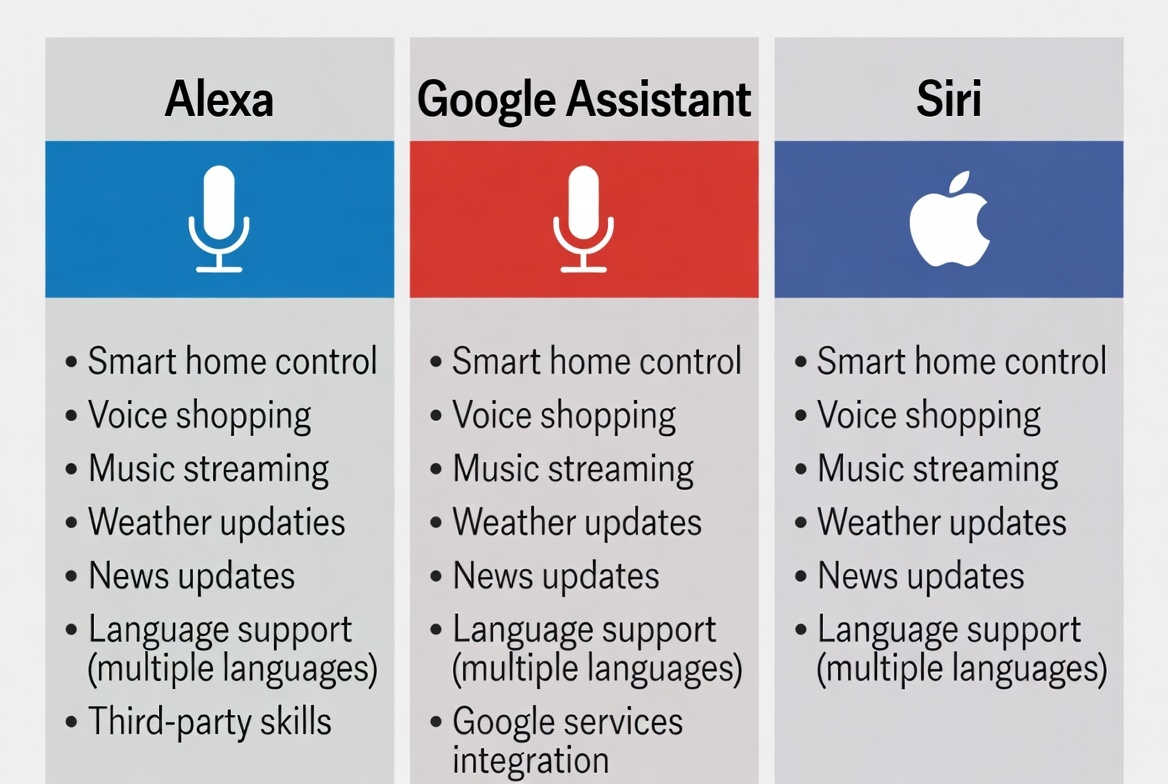
Each voice assistant has its own personality, strengths, and ecosystem. Choosing the right one depends on your existing devices, preferred services, and specific needs.
Amazon Alexa dominates the smart home market with the widest compatibility with third-party devices. If you’re building a comprehensive smart home, Alexa’s extensive skill library and device support make it incredibly versatile. Google Assistant excels at answering questions and understanding natural language, thanks to Google’s search engine prowess. Meanwhile, Siri integrates seamlessly with Apple devices, offering unmatched privacy features and cross-device continuity.
The truth is, there’s no universal “best” choice. I’ve used all three extensively, and each shines in different scenarios. Alexa handles my smart home routines, Google Assistant answers my random questions throughout the day, and Siri manages my iPhone tasks effortlessly.
Consider your ecosystem first. If you’re deep in the Apple ecosystem with multiple iPhones, iPads, and Macs, Siri makes the most sense. Android users and those who rely heavily on Google services will find Google Assistant more intuitive. For dedicated smart home enthusiasts or Amazon Prime members, Alexa offers the most flexibility.
Setting Up Your Voice Assistant: Step-by-Step Process
Getting started with your voice assistant is straightforward, but proper setup ensures you get the most out of the experience. Let me walk you through the essential steps that work across all platforms.
The initial setup typically takes 10-15 minutes, and it’s worth spending extra time customizing settings to match your preferences. Here’s what you need to do:
- Download the companion app: Install the Alexa app, Google Home app, or ensure iOS is updated for Siri. These apps are your control centers for all settings and customizations.
- Connect to Wi-Fi: Your voice assistant needs a stable internet connection. Use a 5GHz network when possible for better performance, especially if you’re streaming music or making calls.
- Train voice recognition: Spend time teaching the assistant to recognize your voice. This improves accuracy by 30-40% and enables personalized responses based on who’s speaking.
- Link your accounts: Connect music services like Spotify or Apple Music, calendar apps, smart home devices, and other third-party services you regularly use.
- Set your location: Enable location services for weather updates, traffic information, and local search results. This makes your assistant much more helpful for daily queries.
I remember spending an extra 20 minutes during setup to configure all my preferences, and it made a huge difference. Taking the time upfront saves frustration later when commands don’t work as expected.
Don’t skip the voice training step. It might feel tedious to repeat phrases, but the improved accuracy is worth every minute. You’ll notice fewer misunderstood commands and more natural interactions.
Smart Home Integration: Connecting Your Devices
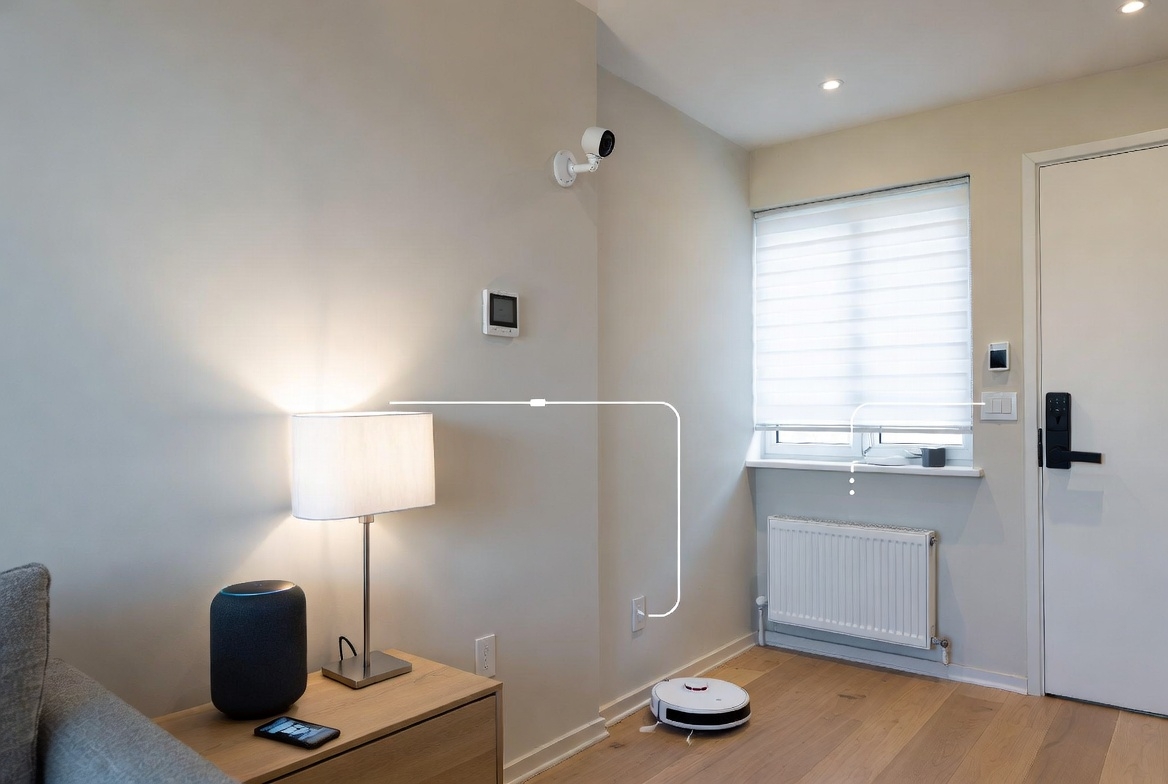
The real magic of voice assistants happens when you connect them to your smart home devices. From lights and thermostats to locks and cameras, voice control transforms how you interact with your home.
Start with the basics: smart bulbs are the easiest entry point. You can control them with simple commands like “turn off the living room lights” or create scenes for different moods. Smart plugs come next, letting you control any device plugged into them with voice commands.
Compatibility varies significantly between assistants. Alexa supports over 140,000 smart home devices from 9,500 brands, making it the most versatile option. Google Assistant works with around 50,000 devices, while Siri requires HomeKit certification, limiting options but ensuring better security and reliability.
My smart home started with just three devices: a smart bulb, a plug, and a thermostat. Two years later, I have 25 connected devices, all controlled through voice commands. The convenience is addictive once you experience it.
Advanced Features and Productivity Hacks
Once you’ve mastered the basics, voice assistants offer powerful advanced features that can dramatically boost your productivity and streamline daily routines.
Routines are game-changers. Create a morning routine that turns on lights, reads your calendar, provides weather updates, and starts your coffee maker with a single command. My “good morning” routine saves me at least 10 minutes every day by automating tasks I’d otherwise do manually.
Multi-room audio lets you play synchronized music throughout your home. Set up speaker groups in the companion app, then command “play jazz in the whole house” for instant ambiance. This feature alone justifies the investment in multiple smart speakers.
Shopping lists and reminders become effortless with voice commands. While cooking with messy hands, simply say “add butter to my shopping list” instead of scrambling for your phone. Voice assistants can also set location-based reminders that trigger when you arrive somewhere.
For productivity, use voice commands to set timers, create calendar events, send messages, and make hands-free calls. I dictate text messages while driving, schedule meetings during my morning routine, and set multiple cooking timers without touching anything.
Privacy and Security Considerations
Voice assistants are always listening for their wake word, which understandably raises privacy concerns. Understanding how to protect your data is essential for comfortable use.
All three major voice assistants offer privacy controls. You can delete voice recordings, disable the microphone with physical buttons, and review what data is collected. Siri processes many requests on-device without sending data to Apple’s servers, offering the strongest privacy by default.
Enable two-factor authentication for your accounts and regularly review connected devices and permissions. Set up voice purchasing PINs to prevent accidental or unauthorized orders, especially if you have kids in the house.
I was initially skeptical about having always-on microphones in my home. But after researching how the technology works and configuring privacy settings properly, I’m comfortable with the trade-off between convenience and privacy.

Common Problems and How to Fix Them
Even the best voice assistants encounter occasional hiccups. Here are the most common issues and their solutions.
When your assistant doesn’t respond, first check your internet connection. Voice assistants require constant connectivity, and a weak signal causes most problems. Restart your router and the device itself, which resolves 80% of connection issues.
If commands are misunderstood frequently, retrain voice recognition and ensure the microphone isn’t obstructed. Background noise, music, or TV audio can interfere with accuracy. Place speakers away from sound sources and at least three feet from walls for optimal performance.
For smart home device connection problems, make sure all devices are on the same Wi-Fi network. Many routers create separate 2.4GHz and 5GHz networks, which can prevent devices from communicating. Use the 2.4GHz band for better range with smart home devices.
The most frustrating issue I encountered was inconsistent responses to the same commands. It turned out multiple household members had set up conflicting routines. Consolidating everything under one admin account solved the problem immediately.
Music, Entertainment, and Media Control
Voice assistants excel at entertainment control, transforming how you enjoy music, podcasts, audiobooks, and video content throughout your home.
Link your preferred streaming services during setup. Alexa works best with Amazon Music and Spotify, Google Assistant integrates seamlessly with YouTube Music and Spotify, while Siri prioritizes Apple Music but supports other platforms too.
Voice control for TVs and streaming devices brings genuine convenience. Commands like “play Stranger Things on Netflix” or “pause” work across compatible smart TVs, Fire TV, Chromecast, and Apple TV. You’ll rarely pick up the remote again.
Create playlists and stations with voice commands. Ask for music by genre, mood, decade, or specific artist. My favorite feature is discovering new music by simply asking “play something similar to this” when I hear a song I like.
Podcasts and audiobooks become more accessible through voice control. Resume where you left off across devices, skip forward 30 seconds during ads, or ask for recommendations based on your interests. For audiobook lovers, Alexa’s integration with Audible is particularly seamless.
Future of Voice Assistant Technology
Voice assistant technology continues evolving rapidly, with exciting developments on the horizon that will make these tools even more powerful and intuitive.
Artificial intelligence improvements mean voice assistants are getting better at understanding context and having more natural conversations. Instead of rigid commands, you’ll be able to speak more naturally and the assistant will understand your intent.
Multi-modal interaction combining voice with screens, cameras, and gestures is expanding. Devices like Echo Show and Nest Hub demonstrate how visual feedback enhances voice interaction, especially for recipes, video calls, and smart home monitoring.
Expanded language support and accent recognition continue improving, making voice assistants more accessible globally. Real-time translation features are emerging, potentially breaking down language barriers in everyday communication.
The integration with emerging technologies like augmented reality glasses and wearable devices will bring voice assistants everywhere you go, not just in your home. Imagine seamless voice control across all your devices, from your watch to your car to your smart glasses.
Conclusion
Voice assistants like Alexa, Google Home, and Siri have become indispensable tools for modern life, offering convenience, productivity, and entertainment at your command. Whether you choose Alexa’s extensive smart home compatibility, Google Assistant’s superior knowledge base, or Siri’s seamless Apple integration, you’ll discover countless ways these digital helpers improve your daily routine.
Start small with basic commands and gradually expand into smart home control, routines, and advanced features. The learning curve is gentle, and the benefits compound quickly as you discover new capabilities and integrate more devices.
Don’t let privacy concerns hold you back. Configure settings properly, understand how the technology works, and you’ll find the convenience far outweighs the risks. My life is genuinely easier and more organized thanks to voice assistants, and yours can be too.
🛒 Recommended Products for Voice Assistants
Based on the voice assistants discussed in this article, we’ve curated a selection of top-rated smart speakers and compatible devices that deliver exceptional performance and value. These recommendations are carefully chosen to help you build the perfect voice-controlled ecosystem that fits your needs and budget.