
Best Mechanical Keyboards in 2026: Top Picks for Every Budget and Use Case
By Sanso Uka
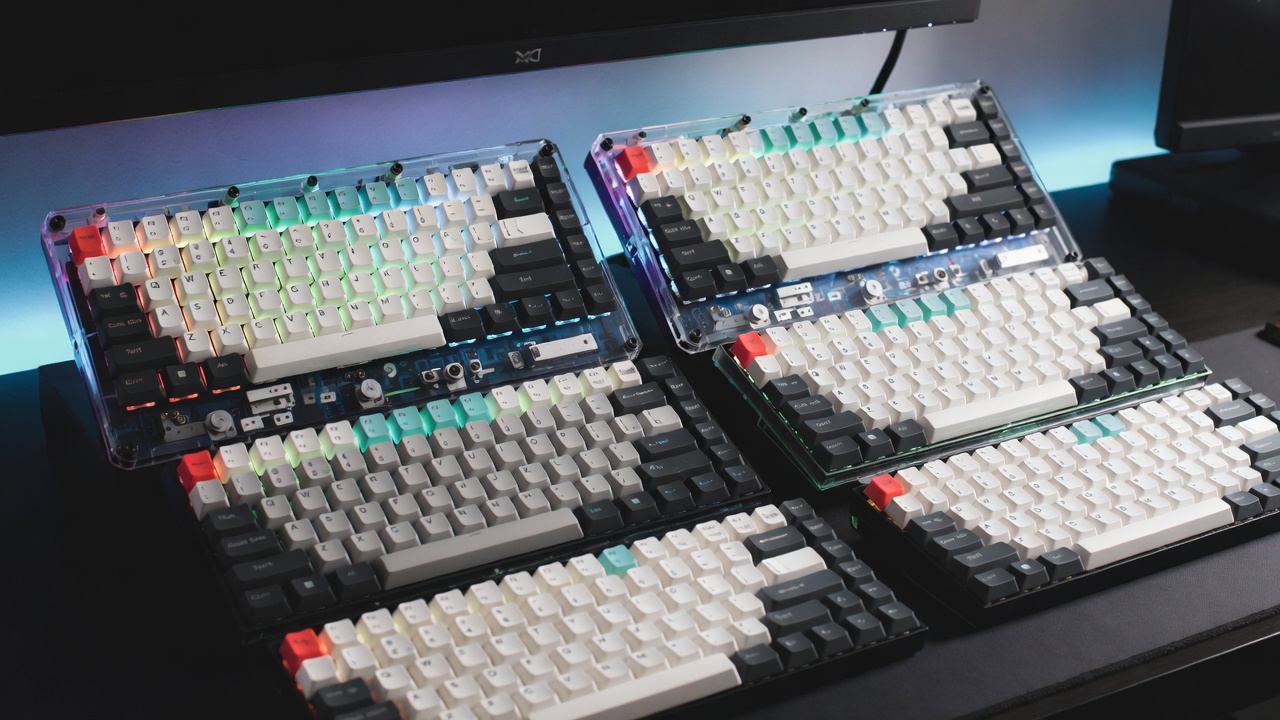
Finding the best mechanical keyboard in 2026 means navigating more choices than ever — hot-swap switches, gasket mounts, wireless connectivity, and per-key RGB are no longer premium features reserved for $200+ boards. Whether you type for a living, game competitively, or just want something better than the membrane keyboard that came with your PC, this guide cuts through the noise and tells you exactly what to buy depending on your situation.
We’ve focused on keyboards that actually ship, have real-world track records, and offer honest value. Prices referenced reflect U.S. market averages as of early 2026.
What Makes a Mechanical Keyboard Worth Buying in 2026?
The baseline for a good mechanical keyboard has risen significantly. A board worth recommending today should include hot-swap switch sockets (so you can swap switches without soldering), a gasket or foam dampening layer to reduce hollow sound, and either reliable USB-C connectivity or a stable wireless connection. Anything below that standard at $80+ deserves scrutiny.
Switch type still matters enormously. Linear switches (like Cherry MX Red or Gateron Yellow) are smooth and quiet — preferred by gamers. Tactile switches (like Gateron Brown or Boba U4) give you a bump without a loud click — better for office typing. Clicky switches (like Cherry MX Blue or Kailh Box White) are satisfying to type on but genuinely disruptive in shared spaces.
Form factor is the other major decision. Full-size boards (100%) include a numpad but take up serious desk space. Tenkeyless (TKL, 80%) drops the numpad for more mouse room. 75% and 65% layouts go further, cutting function rows and navigation clusters. Each trade-off is real — if you use Excel heavily, a numpad absence will slow you down.
Best Overall: Keychron Q5 Max
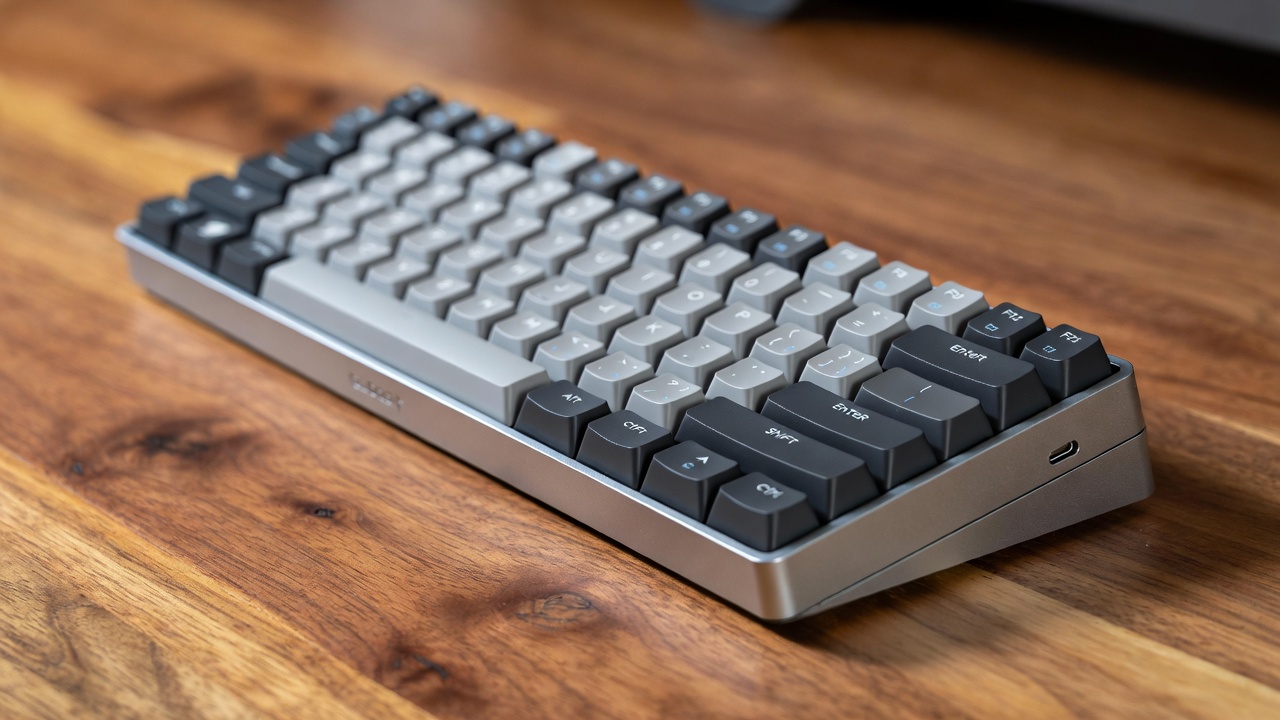
The Keychron Q5 Max sits at roughly $199–$219 depending on configuration and is one of the most complete mechanical keyboards available at that price point. It ships in a 96% layout — which keeps the numpad while shrinking the overall footprint — and uses a full aluminum body with gasket mounting that dramatically reduces typing noise and vibration compared to tray-mount boards.
Wireless connectivity covers both Bluetooth 5.1 (up to three devices) and 2.4GHz via USB dongle, with a 4,000mAh battery that lasts roughly 200–300 hours with RGB off. That range shrinks considerably if you leave RGB on — closer to 40–60 hours in practice. The board is fully hot-swappable and works natively with both Windows and macOS with a physical toggle on the side.
Limitations: It is heavy — over 2kg assembled — so don’t expect to carry it in a bag daily. Keychron’s stock switches are decent but not exceptional; many users swap them within a few months. Customer support response times have been inconsistent for international buyers.
For more peripheral options that pair well with a setup like this, see our guide on laptops and tablets if you’re building a mobile workstation around a compact keyboard.
Best for Gamers: SteelSeries Apex Pro TKL (2024 Revision)
The SteelSeries Apex Pro TKL remains the go-to for competitive gaming at around $179–$199. Its defining feature is the OmniPoint 2.0 magnetic switch, which lets you set actuation distance per-key anywhere from 0.1mm to 4.0mm. Speed-focused players set a shallow actuation of 0.2–0.5mm for faster inputs; those who misfire frequently push it closer to 1.5mm. No other mainstream keyboard offers this level of per-key customization.
The board is wired-only via braided USB-C, polling at 1000Hz. RGB is per-key and bright without bleeding. Build quality is solid plastic — not aluminum — which keeps weight down to 793g but means the body flexes slightly under pressure.
Limitations: The SteelSeries GG software is functional but unintuitive. The wired-only design is a real constraint if your setup favors a clean desk. And the magnetic switches won’t appeal to typists who prefer tactile or clicky feedback — they’re tuned for speed, not feel.
Check out our gaming accessories guide for mice and mousepads that complete a competitive setup.
Best Budget Pick Under $80: Epomaker TH80 Pro
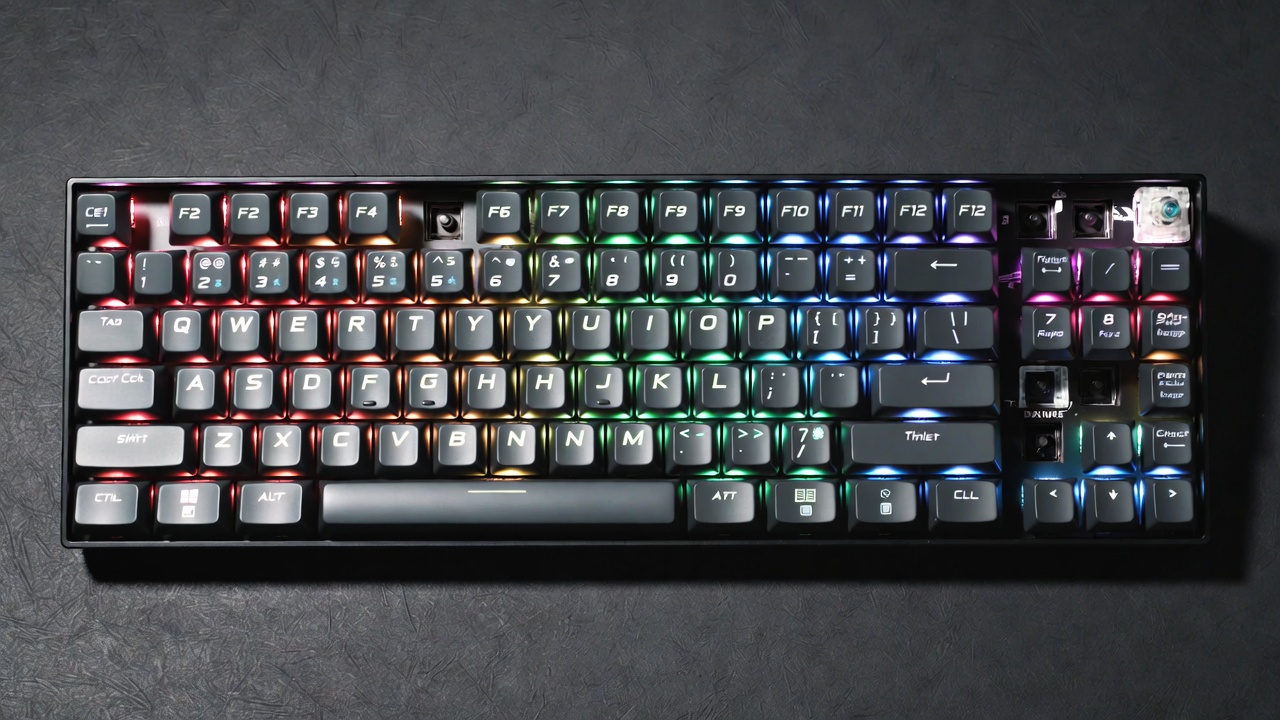
At $65–$79, the Epomaker TH80 Pro punches well above its price. It’s a 75% layout with hot-swap support (5-pin compatible), a gasket-mounted top case, and tri-mode connectivity — Bluetooth, 2.4GHz, and wired USB-C. The included foam padding under the PCB noticeably reduces the hollow “clack” common on budget boards.
Stock switches are Epomaker’s own Flamingo (linear) or Sea Salt (tactile) options, both smooth enough to use daily without an immediate swap. Keycaps are PBT double-shot, so legends won’t shine out after six months of heavy use.
Limitations: The configuration app crashes occasionally on Windows 11 and lacks macOS polish. Battery life sits around 3,000mAh, delivering roughly 100–150 hours wireless with RGB off. RGB-on life drops to around 20–30 hours. There’s minor flex in the plastic frame if you press hard.
Best for Office and Quiet Environments: Logitech MX Mechanical Mini
The Logitech MX Mechanical Mini costs around $99–$119 and targets professionals who want mechanical feedback without disturbing colleagues. It ships with Kailh Clicky, Linear, or Low Profile Tactile switches — the Tactile variant being the quietest and most office-appropriate of the three.
Wireless performance is excellent: Logitech’s Logi Bolt receiver is one of the most stable 2.4GHz dongles available, and Bluetooth handles up to three device pairs. Battery life is rated at 10 days with backlighting and up to 5 months without — a realistic claim, unlike many competitors’ inflated numbers.
Limitations: No hot-swap support. The compact 65%-style layout drops the function row, which frustrates users who rely on F-keys in IDEs or video editing software. And at $109, it’s competing directly with budget enthusiast boards that offer more customization for similar money.
For authoritative switch data, Cherry’s official switch documentation is a reliable reference for understanding actuation force and travel distances.
Best 60% Layout: Ducky One 3 Mini
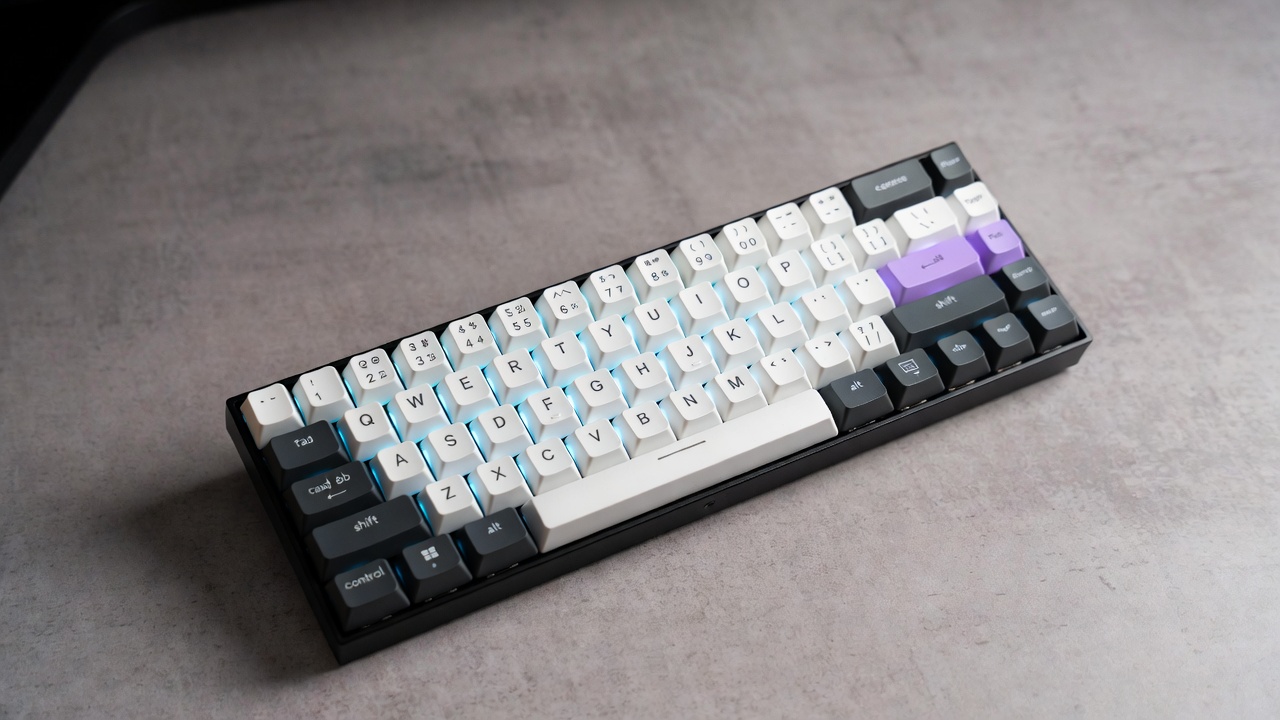
The Ducky One 3 Mini at around $109–$129 is the benchmark for 60% keyboards. It strips down to just alphanumeric keys, modifiers, and arrow keys. That gives you maximum desk space and mouse room but requires learning layer shortcuts for everything else (F-keys, Del, PgUp, etc.).
Build quality is tight — minimal wobble, a satisfying sound profile with included sound-dampening foam, and PBT double-shot keycaps that hold up to years of use. Wired-only via USB-C, which is the right call for a board this focused.
Limitations: The learning curve for function layers is real. If you regularly use Insert, Scroll Lock, or macro keys, a 60% will frustrate you until muscle memory catches up — for some users, that never fully happens.
How to Choose: A Practical Framework
- Use Excel or accounting software regularly? Get a full-size or 96% with a numpad.
- Gaming as the primary use? TKL layout with linear switches and low actuation force (45g or less).
- Shared office or open-plan workspace? Low-profile tactile switches, avoid anything clicky.
- Travel or small desk? 65% or 75% layout hits the sweet spot between portability and key access.
- First mechanical keyboard? Spend $70–$100 max. There’s no point in buying a $200 board before you know what switch type you prefer.
💡 Save this guide for later — switch preferences are personal, and most buyers change their minds after a few months of actual use.
What to Skip in 2026
Avoid any board that still uses micro-USB in 2026 — there’s no excuse for it. Be skeptical of “gaming” keyboards with aggressive angular designs but no gasket mount, no hot-swap, and inflated RGB brightness specs. Several Corsair and Razer mid-range boards in the $80–$130 range fall into this trap — they look impressive but feel hollow compared to equivalently priced Keychron or Epomaker options.
Membrane “mechanical-feeling” keyboards are not mechanical keyboards. They share none of the switch longevity (50–100 million keystrokes for mechanical vs. 5–20 million for membranes) or tactile consistency.
📌 Don’t forget to save this post if you’re still deciding — it’s worth revisiting once you’ve identified your layout preference.
Final Recommendation
If you’re buying one mechanical keyboard in 2026 and want to get it right the first time: the Keychron Q5 Max at ~$210 is the most complete package for serious typists and hybrid workers. If you’re gaming-first, the SteelSeries Apex Pro TKL is the stronger choice. And if you’re not ready to spend over $100, the Epomaker TH80 Pro at ~$70 is genuinely good — not a stepping stone, just a smaller budget.
Know your layout, know your switch type, and match the board to how you actually work.
❤️ Bookmark this post to try these ideas later — and if you’re also shopping for a full workstation setup, our coverage of PC builds and components covers monitors, cases, and peripherals to complete your desk.
- Best Cheap Smartwatch Under $50
 Best Cheap Smartwatch Under $50: 5 Reliable Picks for 2026 By Sanso Uka If you’re hunting for… Read more: Best Cheap Smartwatch Under $50
 - Best Dash Cams of 2026
 Best Dash Cams of 2026: Top Picks for Every Driver and Budget By Wanderson Nogueira Martins Choosing… Read more: Best Dash Cams of 2026
 - How to Transfer Data to New Phone
 How to Transfer Data to a New Phone: A Step-by-Step Guide for 2026 By Sanso Uka Upgrading… Read more: How to Transfer Data to New Phone
 - Senior-Friendly Smartphones 2026
 Senior-Friendly Smartphones 2026: Best Overall Picks for Every Budget By Sanso Uka Senior-friendly smartphones in 2026 have… Read more: Senior-Friendly Smartphones 2026
 - Best Mechanical Keyboards in 2026
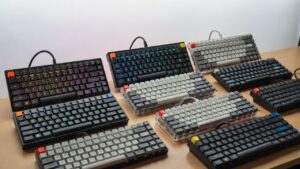 Best Mechanical Keyboards in 2026 Best Mechanical Keyboards in 2026: Top Picks for Every Budget and Use… Read more: Best Mechanical Keyboards in 2026
 - Best Monitor for Home Office 2026
 Best Monitor for Home Office 2026: Expert Picks & Buying Guide By Sanso Uka Your monitor is… Read more: Best Monitor for Home Office 2026
 - How to Extend Smartphone Battery Life
 How to Extend Smartphone Battery Life: 12 Practical Tips That Actually Work By Sanso Uka You unplugged… Read more: How to Extend Smartphone Battery Life
 - Best E-Readers in 2026
 Best E-Readers in 2026: Which One Is Actually Worth Buying? Best E-Readers in 2026: Which One Is… Read more: Best E-Readers in 2026
 - Refurbished vs New Laptop
 Refurbished vs New Laptop: Which Should You Buy in 2026? By Sanso Uka When you’re in the… Read more: Refurbished vs New Laptop
 - Best Gaming Headsets Under $100
 Best Gaming Headsets Under $100 in 2026: Top Picks for Every Platform By Sanso Uka Finding the… Read more: Best Gaming Headsets Under $100
 - How Long Do Laptops Last
 How Long Do Laptops Really Last? A Practical Guide to Lifespan By Sanso Uka If you are… Read more: How Long Do Laptops Last
 - Best Portable Charger 2026
 Best Portable Charger in 2026: Top Power Banks for Every Budget and Use Case By Wanderson Nogueira… Read more: Best Portable Charger 2026