Essential Gaming Accessories: Complete Guide to Level Up Your Setup (2026)
Gaming accessories can make or break your gaming experience, transforming a basic setup into a competitive powerhouse or immersive entertainment center. Whether you’re a casual player enjoying weekends on your console or a competitive gamer chasing every advantage, the right gaming accessories dramatically impact your performance, comfort, and enjoyment. In this comprehensive guide, I’ll walk you through the essential gaming accessories every gamer should consider.
When I first started gaming seriously, I made the mistake of thinking my skills alone would carry me through. But after upgrading my gaming accessories, especially my mouse and headset, my performance improved noticeably. The difference between budget and quality gaming accessories isn’t just about feeling premium, it’s about tangible advantages in gameplay, comfort during long sessions, and overall immersion.
In this article, you’ll discover which gaming accessories provide the most value, learn how to choose equipment that matches your gaming style, explore both essential and optional upgrades, and understand what features actually matter versus marketing hype. Let’s build your perfect gaming setup together.

Gaming Keyboards: Mechanical vs Membrane
Your keyboard is the primary interface between you and your games, making it one of the most important gaming accessories to get right. The debate between mechanical and membrane keyboards has raged for years, but the answer depends on your priorities and budget.
Mechanical keyboards use individual switches under each key, providing tactile feedback, faster response times, and exceptional durability. They’re favored by competitive gamers and enthusiasts for their precision and satisfying typing experience. Popular switch types include Cherry MX Red for gaming, Brown for versatility, and Blue for that iconic clicky sound.
Membrane keyboards use a rubber dome under the keys, making them quieter and more affordable. They work perfectly fine for most gamers, especially if you’re on a budget or prefer quieter operation. Modern gaming membrane keyboards offer surprisingly good performance with features like anti-ghosting and customizable lighting.
I switched to a mechanical keyboard three years ago and immediately noticed improved accuracy in fast-paced games. The tactile feedback helps me know exactly when a key registers without bottoming out, reducing finger fatigue during marathon gaming sessions. However, my roommate hated the clicking noise until I got O-rings to dampen the sound.
Key features to prioritize include anti-ghosting and N-key rollover, which ensure every keypress registers even when multiple keys are pressed simultaneously. RGB lighting looks cool but won’t improve your gaming. Focus on build quality, switch type preference, and layout that fits your desk space.

Gaming Mice: Precision Makes the Difference
A quality gaming mouse might be the single most impactful upgrade you can make to your gaming accessories. The difference between a generic mouse and a proper gaming mouse is night and day for accuracy, speed, and comfort.
Sensor technology is crucial. Modern optical sensors offer incredible precision with DPI ranges from 400 to 25,600 or higher. However, higher DPI isn’t always better. Most professional gamers use 400-1600 DPI with in-game sensitivity adjustments. What matters is sensor accuracy, consistency, and zero acceleration.
Wired versus wireless is no longer a clear choice. Modern wireless gaming mice like the Logitech G Pro Wireless or Razer Viper Ultimate offer latency identical to wired connections while eliminating cable drag. Battery life has improved dramatically, with many models lasting 60-80 hours per charge. However, wired mice are still slightly cheaper and never need charging.
- Ergonomics matter immensely: Choose between ergonomic designs for palm grip, ambidextrous for claw grip, or lightweight for fingertip grip. Hand size and grip style significantly impact comfort during extended sessions.
- Programmable buttons: Extra buttons for MMOs or MOBAs let you bind abilities and macros. FPS players typically prefer fewer buttons to avoid accidental presses.
- Weight customization: Some mice include removable weights. Lighter mice (under 80g) allow faster movements, while heavier mice provide more control and stability.
- Build quality: Look for Omron switches rated for 50+ million clicks, durable cable designs, and quality materials that withstand years of intense gaming.
My gaming improved noticeably after upgrading from a basic mouse to a proper gaming mouse with a quality sensor. Tracking became smoother, flicks more accurate, and my hand stopped cramping during long sessions. It’s an investment that pays dividends immediately.
Don’t overlook the mousepad either. A large, smooth mousepad with consistent surface texture complements your gaming mouse perfectly. Hard pads offer speed and durability, while cloth pads provide control and comfort.
Gaming Headsets: Audio and Communication
Audio is often underestimated among gaming accessories, but quality sound provides competitive advantages and immersive experiences that visuals alone can’t achieve. Hearing enemy footsteps before seeing them or experiencing thunderous explosions transforms gameplay entirely.
Surround sound in gaming headsets comes in two flavors: true surround with multiple drivers per ear cup, or virtual surround using software processing. Virtual surround typically sounds better and costs less, with technologies like DTS Headphone:X and Dolby Atmos delivering impressive positional audio through stereo drivers.
Wired headsets offer reliability and no battery concerns, while wireless models provide freedom of movement and cleaner desk aesthetics. Modern 2.4GHz wireless connections deliver latency low enough that you won’t notice any delay. Battery life varies from 15 to 40 hours depending on features and usage.
Microphone quality separates gaming headsets from regular headphones. A clear microphone helps teammates understand callouts and strategies. Detachable boom mics are convenient, noise-canceling filters reduce background sounds, and mute buttons should be easily accessible mid-game.
Comfort becomes critical during multi-hour gaming sessions. Memory foam ear cups, adjustable headbands, and proper clamping force prevent headaches and discomfort. I learned this the hard way after a cheap headset left my ears sore after just an hour. Now I prioritize comfort as much as audio quality.

Gaming Monitors: Display Technology Matters
Your monitor is where all the action happens, making it one of the most important gaming accessories for both competitive performance and visual enjoyment. The right display balances refresh rate, resolution, and panel technology for your specific needs.
Refresh rate determines how many frames per second your monitor can display. Standard monitors run at 60Hz, but gaming monitors start at 144Hz and go up to 360Hz. Higher refresh rates provide smoother motion, reduced input lag, and easier target tracking. The jump from 60Hz to 144Hz is transformative for fast-paced games.
Resolution impacts visual clarity and performance requirements. 1080p remains popular for competitive gaming due to high framerates on mid-range hardware. 1440p offers the sweet spot between clarity and performance. 4K delivers stunning visuals but demands powerful graphics cards to maintain high framerates.
Panel technology involves trade-offs. TN panels offer the fastest response times (1ms) and highest refresh rates but poor viewing angles and colors. IPS panels deliver superior colors and viewing angles with slightly slower response times (4-5ms). VA panels split the difference with good contrast but can suffer from ghosting in fast motion.
Adaptive sync technology like G-Sync or FreeSync eliminates screen tearing and stuttering by synchronizing monitor refresh rate with GPU output. This feature alone justifies upgrading older monitors, providing buttery-smooth gameplay across varying framerates.
Gaming Chairs: Comfort for Long Sessions
Gaming chairs often get dismissed as overpriced marketing, but proper seating significantly impacts your health, comfort, and gaming performance during extended sessions. The right chair supports good posture and prevents the back pain that plagues many gamers.
Ergonomic design is the foundation of a quality gaming chair. Look for adjustable lumbar support, reclining backrest, 4D armrests that move in multiple directions, and height adjustment to keep your feet flat on the floor. These features help maintain proper posture and reduce strain.
Material choice affects comfort and durability. PU leather looks premium and cleans easily but can get hot during summer. Fabric breathes better and stays comfortable longer but shows wear faster. Mesh backs offer maximum breathability, ideal for warm climates or intense gaming sessions.
The racing-style aesthetic dominates gaming chairs, but don’t choose style over substance. Many gaming chairs prioritize looks over ergonomics. A quality office chair often provides better support at similar prices. I actually switched from a racing-style gaming chair to an ergonomic office chair and my back pain disappeared.
Consider your body size and weight. Gaming chairs have weight limits and sizing differences. Test chairs when possible or carefully check dimensions. A chair that’s too small or large won’t provide proper support regardless of features.

Controllers and Gamepads for Console and PC
Controllers remain essential gaming accessories even for PC gamers, as many games simply play better with analog sticks and triggers. The controller market has evolved significantly, offering options for every preference and budget.
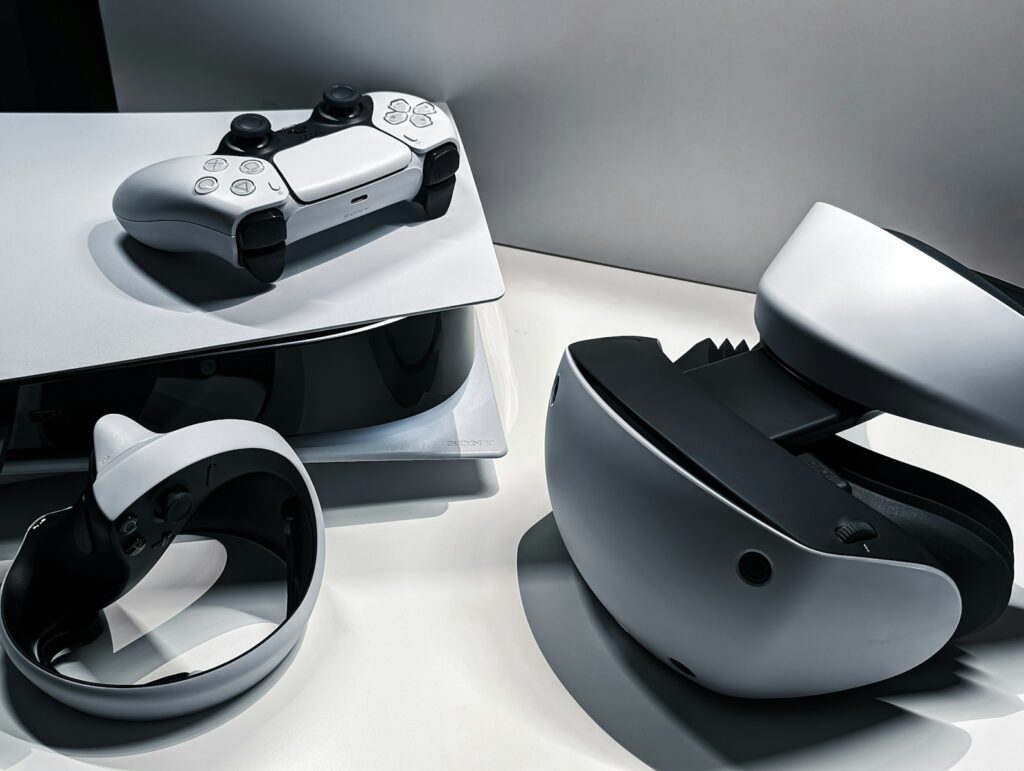
The Xbox Wireless Controller sets the standard for PC gaming compatibility with native Windows support and excellent build quality. PlayStation DualSense controllers bring haptic feedback and adaptive triggers that create immersive experiences in supported games. Both work wirelessly via Bluetooth or USB connection.
Pro controllers add features competitive gamers appreciate: remappable back buttons, adjustable trigger sensitivity, swappable components, and sometimes even on-controller profiles. Models like the Xbox Elite Controller or SCUF controllers cost significantly more but provide customization that can improve performance.
Third-party controllers offer budget-friendly alternatives with decent quality. Brands like PowerA and 8BitDo create controllers at lower prices, though build quality and features typically don’t match official controllers. They’re excellent starting points or backup options.
For fighting games, arcade sticks provide authentic experience and precision. For racing games, proper wheels and pedals transform the experience. Specialized controllers excel in their genres, making them worthwhile investments for enthusiasts of specific game types.
Cable Management and Desk Accessories
Often overlooked among gaming accessories, proper cable management and desk organization dramatically improve both aesthetics and functionality of your gaming space. A clean setup reduces distractions and makes equipment easier to access and maintain.
Cable management solutions include under-desk trays, cable sleeves, velcro ties, and adhesive clips. Group cables by destination, secure them along desk edges or legs, and leave slight slack to prevent tension. This prevents tangled messes, makes cleaning easier, and protects cables from damage.
Monitor arms free up desk space and improve ergonomics by positioning screens at optimal eye level and distance. Single, dual, or even triple monitor arms accommodate various setups. Gas spring arms allow effortless position adjustments, while fixed arms cost less for static setups.
Desk lighting affects both ambiance and eye strain. Bias lighting behind monitors reduces eye fatigue during dark gaming sessions. RGB light strips add customizable atmosphere. Some prefer subtle lighting for focus, others embrace full RGB rainbow for maximum gaming aesthetic.
Headphone stands keep expensive headsets safe and accessible while freeing desk space. Some include USB hubs or RGB lighting. A simple stand or wall hook works fine, but dedicated stands with charging capabilities add convenience.
Streaming and Content Creation Accessories
For gamers interested in streaming or content creation, additional gaming accessories elevate production quality and make broadcasting more professional and engaging for audiences.
External microphones dramatically improve audio quality over headset mics. USB condenser microphones like the Blue Yeti offer excellent quality for beginners, while XLR setups with audio interfaces provide professional-grade audio. A boom arm keeps the mic positioned perfectly without cluttering your desk.
Webcams are essential for streamers who show their face. 1080p 60fps webcams deliver clear, smooth video without breaking the bank. Lighting makes the biggest difference in webcam quality. A basic ring light or two softbox lights dramatically improve how you look on camera.
Stream decks or macro pads provide quick access to scene switches, sound effects, and commands without alt-tabbing. These programmable button panels streamline streaming workflows, though they’re optional for casual streamers.
Capture cards enable console streaming and multi-PC setups that offload encoding to a second computer. Internal PCIe cards offer best performance, while external USB models provide flexibility for laptops and easier installation.

Conclusion
Gaming accessories transform your setup from basic to exceptional, providing competitive advantages, enhanced comfort, and immersive experiences that make gaming more enjoyable. The key is prioritizing accessories that match your gaming style and upgrading strategically rather than buying everything at once.
Start with the essentials: a quality mouse, comfortable keyboard, and decent headset. These three gaming accessories provide the foundation for any gaming setup. Then expand based on your needs, whether that’s a better monitor for competitive gaming, a proper chair for comfort, or streaming equipment for content creation.
Remember that expensive doesn’t always mean better. Many mid-range gaming accessories perform excellently and represent better value than flagship models. Research thoroughly, read reviews from actual gamers, and consider what features you’ll actually use versus marketing buzzwords. Your perfect gaming setup is personal and should reflect how you play and what you value most.
🛒 Recommended Gaming Accessories
Based on the gaming accessories discussed in this article, we’ve curated a selection of top-rated peripherals that deliver exceptional performance and value. These recommendations are carefully chosen to help you build the ultimate gaming setup that fits your needs and budget.