
Best Dash Cams of 2026: Top Picks for Every Driver and Budget
By Wanderson Nogueira Martins
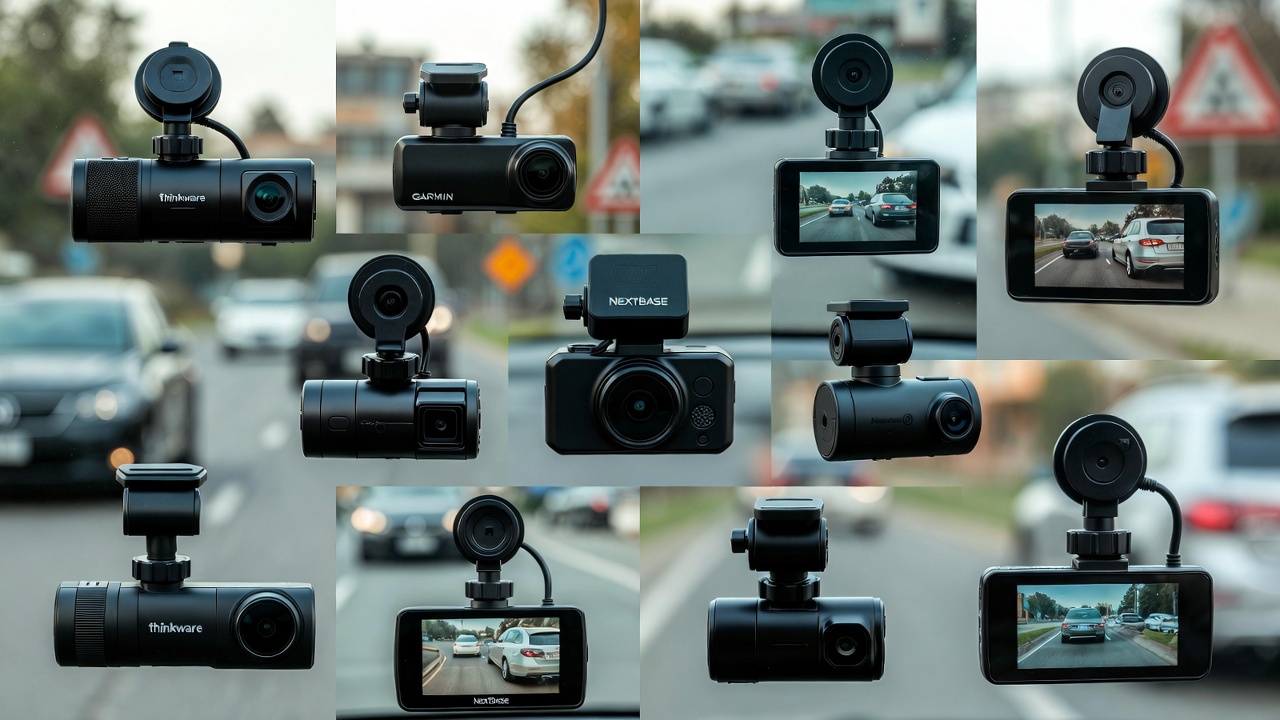
Choosing the best dash cam in 2026 means navigating a market that has improved dramatically — 4K front cameras are now standard at mid-range prices, built-in LTE connectivity is no longer a premium feature, and parking mode has gotten smarter. Whether you need solid accident footage for insurance purposes, a discreet cabin recorder for rideshare driving, or a full front-and-rear system, there’s a camera for your use case and budget. This guide breaks down the top picks honestly, including what each one gets wrong.
💡 Save this guide for later — dash cam specs change fast and this page is updated for 2026 models.
What to Look for in a Dash Cam
Before jumping into recommendations, here’s what actually matters when comparing dash cams:
- Resolution: 4K (3840×2160) captures license plates clearly even at 60 mph. 1440p is acceptable. 1080p is now the floor — avoid anything below it.
- Field of view: 140°–160° covers your lane and at least one adjacent lane. Anything wider than 170° tends to distort edges.
- Night performance: Look for Sony STARVIS 2 or similar BSI sensor. Night footage varies enormously between models even at the same resolution.
- Storage: Most cameras top out at 256GB microSD. Some offer cloud backup via LTE, which adds a monthly fee.
- Parking mode: Requires either a hardwire kit or a built-in capacitor/battery. Parking mode on USB power alone drains your car battery.
- GPS: Useful for stamping speed and location onto footage — helpful for insurance claims.
Best Overall: Vantrue E3 Pro (2026 Edition)
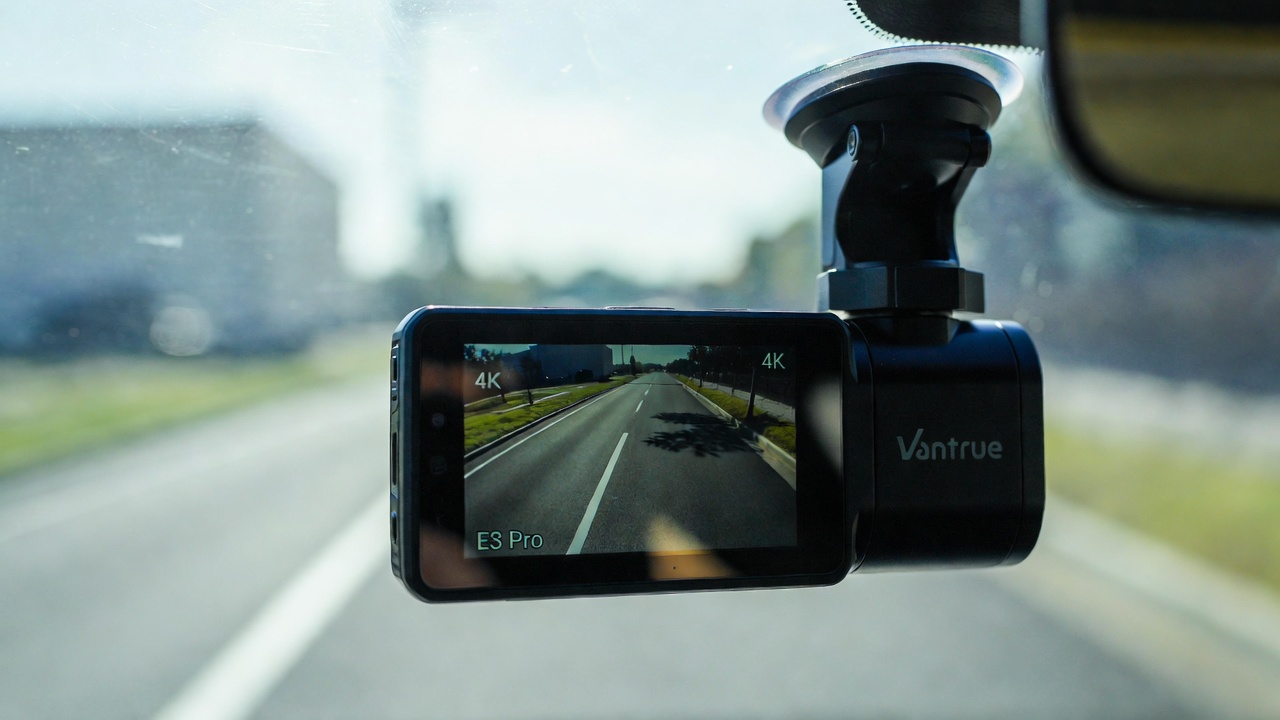
The Vantrue E3 Pro earns the top spot for 2026 because it hits the right balance of video quality, build quality, and practical features without forcing you into a subscription. The front camera shoots 4K at 30fps with a Sony STARVIS 2 sensor, and the rear camera handles 1080p — adequate for rear-end collision footage. The unit retails around $199–$229 depending on the retailer.
Night footage is genuinely impressive: streetlights, headlights, and reflective road markings are all readable at highway speeds. The 2.5-inch touchscreen is responsive and the menu layout is logical — setup takes under 10 minutes.
What it doesn’t do well: the built-in Wi-Fi is slow when transferring large 4K files to your phone. The companion app has also been inconsistent on Android 15 — Vantrue has pushed patches, but it’s worth checking recent app reviews before buying. Parking mode requires a separate hardwire kit (~$20 extra), which isn’t included in the box.
Best for: Everyday commuters and road-trippers who want reliable 4K footage without a monthly subscription.
Best Budget Pick: Garmin Dash Cam 67W
At around $129–$149, the Garmin 67W is the easiest recommendation under $150. It shoots 1440p at 30fps with a 180° field of view — wider than most in this class, though the extreme edges do show some barrel distortion. The voice control works better than expected: “OK Garmin, save video” reliably tags clips without you touching the screen.
Garmin’s Vault cloud backup service adds $4.99/month for automatic clip uploads, but the camera works fine without it. GPS and driver alerts (forward collision, lane departure) are included at this price, which is unusual. Battery life in parking mode without a hardwire kit is about 2–3 hours.
The tradeoff: night video quality lags behind the Vantrue and Nextbase options. In low-light city parking lots, license plates at 30+ feet are sometimes unreadable. If you park in poorly lit areas regularly, spend more.
Best for: Budget-conscious buyers who park in reasonably lit areas and want a reliable brand with good software support.
Best for Rideshare Drivers: Nextbase 622GW with Cabin View
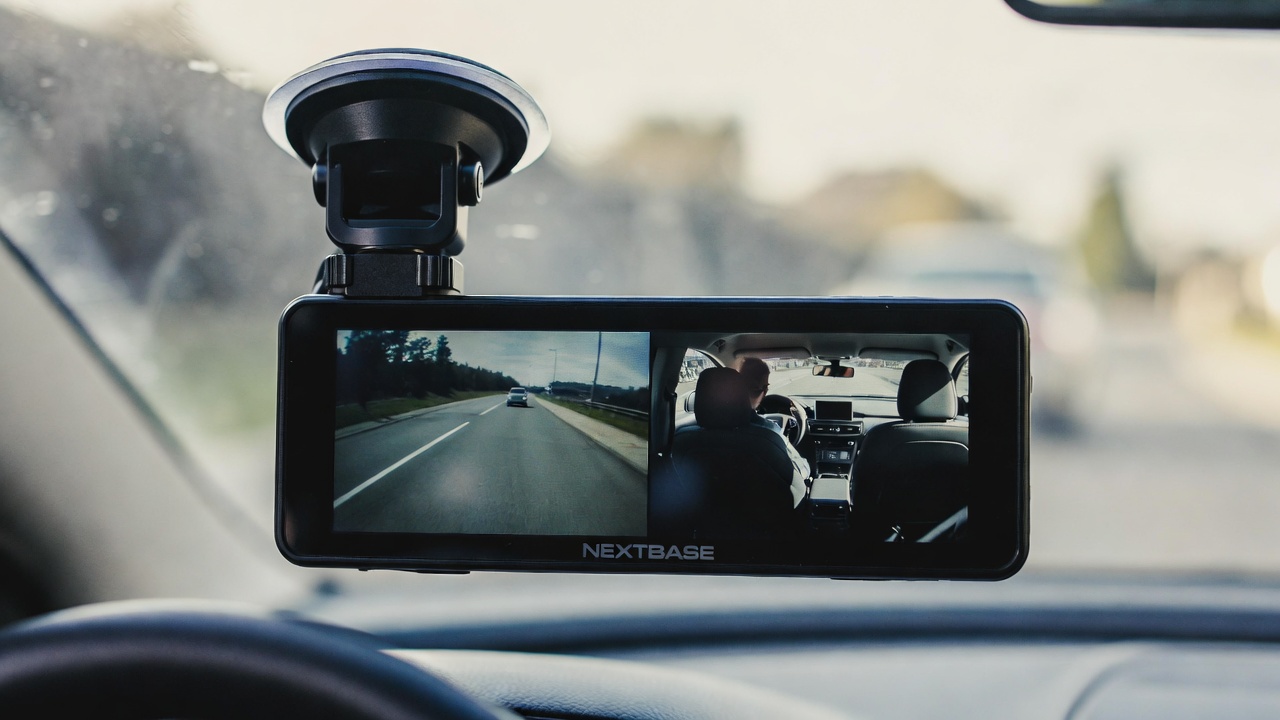
Uber and Lyft drivers have specific needs: you want footage of the road and the cabin, ideally with night vision inside the car. The Nextbase 622GW paired with the Cabin View Camera accessory (~$40 additional) covers both. The front unit shoots 4K at 30fps; the cabin module handles 1080p IR night vision for the interior.
Total cost: around $299–$320 for the bundle. That’s not cheap, but for professional drivers it’s a legitimate liability tool. The magnetic mount lets you remove the camera between shifts in seconds, which matters if you drive for multiple platforms or share the vehicle.
The Nextbase app is one of the better ones in this category — it includes an “Emergency SOS” feature that automatically contacts emergency services after a detected collision if you don’t dismiss the alert within 30 seconds. That’s a genuine differentiator. The downside is that Nextbase’s cloud subscription (Nextbase Cloud) costs $9.99/month for full features, and some drivers report the SOS feature triggering false positives on rough roads.
For more on protecting yourself as a rideshare driver, see our smartphone accessories guide — a good phone mount is just as important as the dash cam.
Best for: Rideshare and delivery drivers who need cabin recording and quick mounting/removal.
Best Premium Option: BlackVue DR970X-2CH Plus
If budget isn’t the constraint and you want the most capable system available in 2026, the BlackVue DR970X-2CH Plus is the answer. It shoots 4K front and 4K rear simultaneously — a first in this price tier — with built-in LTE connectivity for live streaming and remote access via the BlackVue Cloud app. Price: approximately $499–$549.
The cloud features are genuinely useful: you can check live footage from your parked car, receive motion alerts to your phone, and have footage automatically backed up without touching an SD card. The LTE connectivity requires a data SIM (BlackVue sells a global SIM plan starting at $7.99/month, or you can use your own SIM in supported regions).
The main weakness is the companion app’s complexity — it’s feature-rich but overwhelming for casual users. Initial setup can take 30–45 minutes if you want all cloud features configured properly. It also requires a hardwire kit for parking mode, and BlackVue charges $29 for theirs.
According to BlackVue’s official specs, the DR970X series uses a Mstar MSC8336D processor capable of handling dual 4K streams without thermal throttling — a problem that plagued earlier dual-4K systems.
Best for: Car enthusiasts, fleet managers, or anyone who wants the best footage quality and remote monitoring without compromise.
Parking Mode: What You Actually Need
Most dash cam buyers underestimate parking mode. Here’s the reality: a camera plugged into your car’s USB port or 12V outlet will drain your battery within 6–12 hours in parking mode. If you want 24/7 parking surveillance, you need one of two things:
- A hardwire kit with a low-voltage cutoff (usually around $15–$30) — the kit draws from your fuse box and cuts power when battery voltage drops below ~11.8V.
- A dedicated battery pack like the Thinkware B-130 or Cellink Neo, which charges while driving and powers the camera when the car is off. These run $100–$180 but protect your car battery completely.
Neither option is complicated to install, but budget for it when calculating total cost.
📌 Don’t forget to save this post — parking mode setup details are easy to forget when you’re ready to install.
Quick Comparison: 2026 Dash Cam Picks
| Model | Resolution (Front) | Price (USD) | Best For |
|---|---|---|---|
| Vantrue E3 Pro | 4K @ 30fps | $199–$229 | Overall best value |
| Garmin 67W | 1440p @ 30fps | $129–$149 | Budget buyers |
| Nextbase 622GW + Cabin | 4K @ 30fps | $299–$320 | Rideshare drivers |
| BlackVue DR970X-2CH Plus | 4K @ 30fps (dual) | $499–$549 | Premium / fleet use |
What About Smart Dash Cams with AI Features?
Several 2026 models now include on-device driver monitoring: drowsiness detection, distraction alerts, and automatic incident tagging. The Thinkware U3000 and Owlcam Gen 3 are the most capable in this space. They’re genuinely useful for fleet managers or parents monitoring teen drivers, but for personal use they’re overkill and add $80–$150 to the price.
Driver-facing cameras also raise a privacy consideration worth thinking about: footage of you inside your own car is stored on the SD card and potentially uploaded to cloud servers. Read the privacy policy before buying any cloud-connected model.
If you’re building out a full connected car setup, check out our home automation guide — some drivers integrate dash cam alerts into their smart home dashboards.
Which Dash Cam Should You Actually Buy?
For most drivers: Vantrue E3 Pro. The 4K footage is genuinely useful, the price is fair, and you won’t need a subscription to get full value from it. Add a $20 hardwire kit if you want parking mode that works overnight.
If you’re on a tight budget, the Garmin 67W is the safest $130 you can spend. It won’t impress you in dark parking lots, but it will record every incident clearly in daylight.
Rideshare drivers should look seriously at the Nextbase 622GW bundle — the liability protection from interior footage is worth the higher price.
And if money isn’t the concern and you want to set it up once and never think about it again, the BlackVue DR970X-2CH Plus delivers the best overall system available in 2026. For broader guidance on gear that protects your drives and devices, visit our accessories and gadgets section.
❤️ Bookmark this post to revisit when you’re ready to buy — prices on these models shift throughout the year.
- Best Cheap Smartwatch Under $50
 Best Cheap Smartwatch Under $50: 5 Reliable Picks for 2026 By Sanso Uka If you’re hunting for the best… Read more: Best Cheap Smartwatch Under $50
 - Best Dash Cams of 2026
 Best Dash Cams of 2026: Top Picks for Every Driver and Budget By Wanderson Nogueira Martins Choosing the best… Read more: Best Dash Cams of 2026
 - How to Transfer Data to New Phone
 How to Transfer Data to a New Phone: A Step-by-Step Guide for 2026 By Sanso Uka Upgrading to a… Read more: How to Transfer Data to New Phone
 - Senior-Friendly Smartphones 2026
 Senior-Friendly Smartphones 2026: Best Overall Picks for Every Budget By Sanso Uka Senior-friendly smartphones in 2026 have come a… Read more: Senior-Friendly Smartphones 2026
 - Best Mechanical Keyboards in 2026
 Best Mechanical Keyboards in 2026 Best Mechanical Keyboards in 2026: Top Picks for Every Budget and Use Case By… Read more: Best Mechanical Keyboards in 2026
 - Best Monitor for Home Office 2026
 Best Monitor for Home Office 2026: Expert Picks & Buying Guide By Sanso Uka Your monitor is the window… Read more: Best Monitor for Home Office 2026
 - How to Extend Smartphone Battery Life
 How to Extend Smartphone Battery Life: 12 Practical Tips That Actually Work By Sanso Uka You unplugged your phone… Read more: How to Extend Smartphone Battery Life
 - Best E-Readers in 2026
 Best E-Readers in 2026: Which One Is Actually Worth Buying? Best E-Readers in 2026: Which One Is Actually Worth… Read more: Best E-Readers in 2026
 - Refurbished vs New Laptop
 Refurbished vs New Laptop: Which Should You Buy in 2026? By Sanso Uka When you’re in the market for… Read more: Refurbished vs New Laptop
 - Best Gaming Headsets Under $100
 Best Gaming Headsets Under $100 in 2026: Top Picks for Every Platform By Sanso Uka Finding the best gaming… Read more: Best Gaming Headsets Under $100
 - How Long Do Laptops Last
 How Long Do Laptops Really Last? A Practical Guide to Lifespan By Sanso Uka If you are shopping for… Read more: How Long Do Laptops Last
 - Best Portable Charger 2026
 Best Portable Charger in 2026: Top Power Banks for Every Budget and Use Case By Wanderson Nogueira Martins Finding… Read more: Best Portable Charger 2026