
Top Rated Laptops for Students: Best Value Picks for Academic Success in 2026
Finding the top rated laptops for students can feel overwhelming with hundreds of options competing for your attention. I still remember my freshman year disaster—I bought a laptop based solely on its sleek design, only to discover it couldn’t handle basic multitasking during finals week. The constant crashes and two-hour battery life taught me an expensive lesson about prioritizing function over form.
Today’s students need laptops that can juggle research papers, video calls, programming assignments, and Netflix binges without breaking a sweat or your budget. Whether you’re heading to college, high school, or pursuing online courses, the right laptop becomes your most essential academic tool. But here’s the good news: you don’t need to spend $2,000 to get a reliable machine that lasts through graduation.
This guide cuts through the marketing hype to show you which laptops actually deliver for student life. We’ll explore budget-friendly options that don’t compromise on performance, identify must-have features for different majors, and help you avoid common pitfalls that lead to buyer’s remorse. By the end, you’ll know exactly which laptop fits your academic needs and budget.
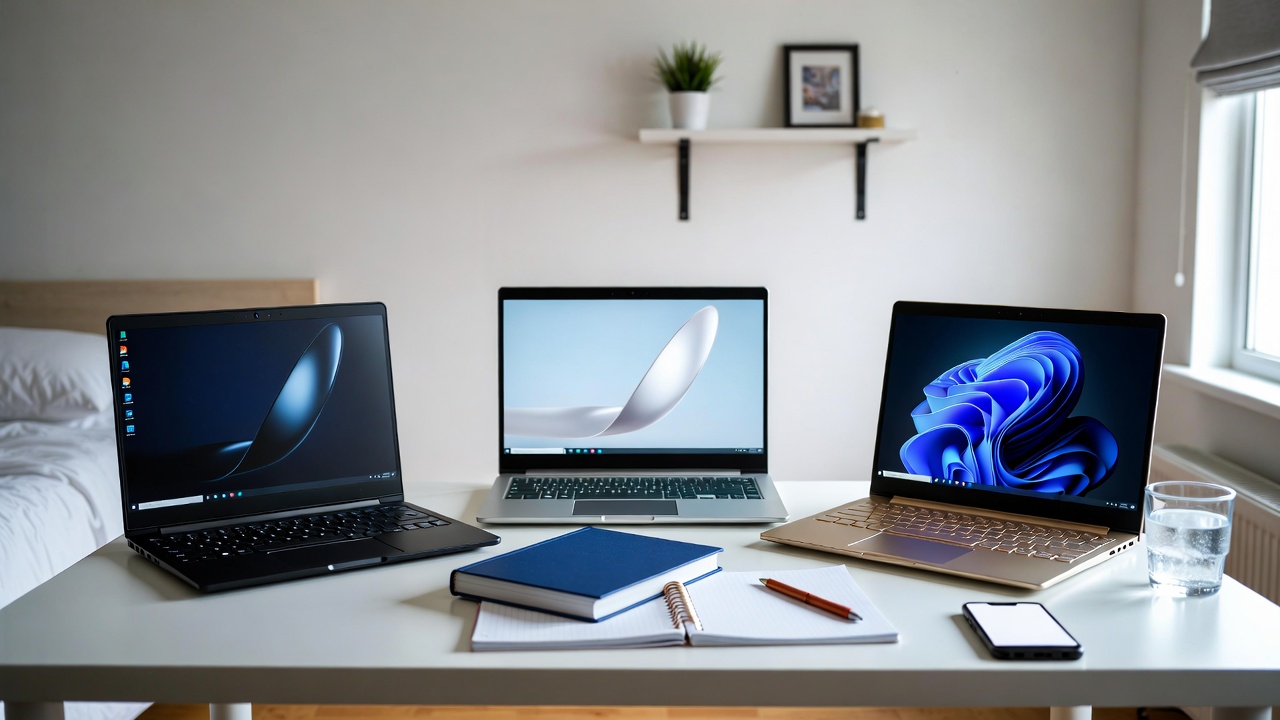
What Makes a Laptop Perfect for Students in 2026
Student laptops face unique demands that differ significantly from what professionals or casual users need. Understanding these requirements helps you invest wisely rather than overspending on features you’ll never use or underbuying and regretting it semester after semester.
Portability ranks as the absolute top priority. You’ll be carrying this machine between classes, to the library, coffee shops, and study groups. A laptop weighing over 4.5 pounds becomes noticeably burdensome after a few weeks. The ideal student laptop weighs between 2.5 to 3.5 pounds and measures under 0.8 inches thick, fitting easily into backpacks without taking up valuable space needed for textbooks and supplies.
Battery life can make or break your productivity during those marathon study sessions. You need at least 8 hours of real-world battery life—not the inflated manufacturer claims. I’ve sat through too many lectures watching classmates scramble for outlets because their laptops died mid-note-taking. Modern laptops with efficient processors like Intel’s latest generations or Apple’s M-series chips can easily deliver 10-12 hours, giving you full-day freedom.
Performance requirements vary by major, but every student benefits from certain baseline specs. You want at minimum 8GB of RAM for smooth multitasking, though 16GB future-proofs your investment. Storage-wise, 256GB SSD is the bare minimum, but 512GB gives you breathing room for projects, downloads, and media files. SSDs are non-negotiable—the speed difference compared to old hard drives is night and day.

Top Rated Laptops for Students: Best Overall Picks
After researching dozens of models and considering real student feedback, these laptops consistently deliver exceptional value across different price points and use cases. These are the machines that won’t let you down during critical academic moments.
The MacBook Air M3 remains the gold standard for students who can stretch their budget to $1,099. Apple’s M3 chip delivers incredible performance while sipping battery power, regularly lasting 15-18 hours on a single charge. The fanless design means silent operation in quiet libraries, and the 13.6-inch Liquid Retina display makes extended reading and writing sessions comfortable. The biggest advantage? This laptop will easily last through four years of undergrad and beyond without feeling outdated.
For Windows users seeking similar quality at a lower price, the Dell XPS 13 represents outstanding value around $899. Its 12th Gen Intel processor handles demanding tasks effortlessly, the build quality rivals machines costing twice as much, and the stunning InfinityEdge display maximizes screen real estate in a compact chassis. Dell’s student discount often drops this below $800, making it an absolute steal.
Budget-conscious students should seriously consider the Lenovo IdeaPad Flex 5i, typically priced around $599. This 2-in-1 convertible laptop offers remarkable versatility—flip it into tablet mode for note-taking with the included stylus, tent mode for presentations, or traditional laptop mode for typing papers. The 14-inch touchscreen, Intel Core i5 processor, and 16GB RAM configuration punches well above its price class. I’ve recommended this to at least five students, and every single one thanked me later.
Best Laptops for Different Academic Majors
Your field of study significantly impacts your laptop requirements. Engineering students need more processing power than English majors, while design students prioritize color-accurate displays. Here’s how to match laptops to your major’s specific demands.
STEM majors running simulations, compiling code, or using specialized software like MATLAB or AutoCAD need robust processing power and ample RAM. The ASUS Vivobook S 15 with AMD Ryzen 7 processor and 16GB RAM handles computational tasks smoothly while staying under $750. Its discrete graphics card supports entry-level CAD work, and the full-size keyboard with numpad proves invaluable for statistics and programming courses.
Creative students in graphic design, video production, or architecture require color-accurate displays and graphics capabilities. The HP Envy 14 hits the sweet spot at around $999, featuring a gorgeous 2.8K OLED display that covers 100% of the DCI-P3 color gamut. The NVIDIA RTX 3050 graphics card handles Adobe Creative Suite applications smoothly, and the 14-inch form factor balances screen size with portability.
- Business and Liberal Arts Students: Focus on portability and battery life since you’ll primarily handle documents, presentations, and research. The Microsoft Surface Laptop 5 offers premium build quality, exceptional keyboard comfort for extensive writing, and 17+ hour battery life. Its clean Windows 11 interface and Microsoft Office integration create seamless productivity.
- Computer Science Majors: You need versatility to run virtual machines, IDEs, and development tools. The Lenovo ThinkPad E14 Gen 5 provides legendary keyboard quality, robust build, and easy upgradability. Start with 16GB RAM and add more later if needed. The matte display reduces eye strain during long coding sessions.
- Online Course Students: Prioritize webcam quality and microphone clarity for video conferencing. The HP Pavilion Plus 14 features an excellent 1080p webcam and AI noise cancellation that makes you sound professional in virtual classroom discussions. Its 90Hz display refresh rate also makes scrolling through online materials noticeably smoother.
Don’t overlook Chromebooks if your coursework primarily involves web-based applications and Google Workspace. The Acer Chromebook Spin 714 costs just $729 but delivers premium build quality, 12+ hour battery life, and blazing-fast performance for cloud-based tasks. It’s perfect for students who don’t need Windows-specific software.

Budget Laptop Options That Don’t Compromise Quality
Limited budget doesn’t mean accepting a frustrating laptop experience. Several manufacturers now offer genuinely capable machines under $500 that handle typical student workloads admirably. The key is knowing where manufacturers can cut costs without sacrificing usability.
The Acer Aspire 5 consistently ranks among the top rated laptops for students on tight budgets, typically selling for $449. You’re getting an Intel Core i3 processor, 8GB RAM, 256GB SSD, and a 15.6-inch Full HD display—specs that would have cost $800 just three years ago. While it won’t win any design awards and the battery life tops out around 7 hours, it reliably handles Microsoft Office, web browsing, video streaming, and light photo editing without complaints.
The HP Laptop 14 deserves attention at $379 on sale. It’s incredibly lightweight at just 3.24 pounds, making it ideal for students constantly on the move. The AMD Ryzen 3 processor provides surprising pep for everyday tasks, and the compact 14-inch size fits perfectly in crowded lecture halls and cramped dorm desks. Just add an external hard drive for additional storage since the 128GB SSD fills quickly.
When shopping budget laptops, prioritize SSD storage over hard drives regardless of capacity differences. A 128GB SSD delivers exponentially better performance than a 500GB hard drive, making your entire computing experience faster and more responsive. You can always expand storage with affordable external drives or cloud services, but you’re stuck with a slow hard drive forever.
Consider certified refurbished models from reputable sellers like Amazon Renewed or manufacturer outlet stores. Last year’s premium laptop at 40% off often surpasses this year’s budget model. I bought a refurbished Dell XPS 13 from Dell’s outlet for $649 that originally retailed at $1,099, and it arrived in pristine condition with full warranty coverage.
Essential Features vs. Nice-to-Have Extras
Marketing materials bombard you with fancy features that sound impressive but provide minimal real-world benefit for students. Let’s separate the essential specifications from the expensive extras that drain your budget without enhancing your academic performance.
Touchscreens fall squarely into the “nice but not necessary” category for traditional laptop usage. They add $100-150 to the price, reduce battery life slightly, and most students rarely use touch input on laptops. The exception? Two-in-one convertibles where touch and stylus support enable natural note-taking and annotations. If you’re not specifically planning to write or draw on your screen, skip the touchscreen and save money.
Display resolution presents another area where students often overspend. A Full HD (1920×1080) display provides perfect clarity for 13-15 inch laptops. 4K displays look stunning but devour battery life and cost significantly more without offering meaningful benefits for document editing or web browsing. Save 4K for professional photo/video work or gaming—your essays won’t look any better.
Processor choices confuse many buyers, but here’s the simplified truth: Intel Core i5 or AMD Ryzen 5 processors represent the sweet spot for most students. Core i3 or Ryzen 3 works fine for basic tasks but may struggle in 2-3 years. Core i7 or Ryzen 7 offers more power than most students need unless you’re in demanding technical fields. Don’t obsess over processor generations either—a previous-generation i5 often performs nearly identically to the latest version while costing less.
Webcam quality matters tremendously in 2026’s hybrid learning environment. Look for at least 1080p resolution—the old 720p cameras make you look grainy and unprofessional during important presentations or virtual office hours. Some laptops now include privacy shutters, which provide peace of mind when you’re not actively using the camera.
Common Mistakes When Buying Student Laptops
I’ve counseled dozens of students through laptop purchases, and certain mistakes appear repeatedly. Avoiding these pitfalls saves money and prevents frustration down the road.
The biggest error is buying based on brand loyalty without comparing current models. Maybe your family has always bought HP laptops, but this year Dell might offer better value in your price range. Each manufacturer releases hits and misses annually—evaluate specific models rather than blindly trusting a brand name. Similarly, don’t dismiss brands you haven’t heard of without research. Companies like ASUS and Acer produce excellent student laptops at competitive prices.
Many students underestimate their storage needs or overestimate their cloud storage discipline. That 128GB SSD seems sufficient until you’re halfway through first semester with 15GB remaining and facing constant “storage full” warnings. Photos, downloaded lecture videos, project files, and applications consume space faster than expected. Aim for 256GB minimum, or ensure your laptop supports easy storage expansion via microSD or external drives.
Ignoring warranty and support options proves costly when issues arise. Accidental damage protection makes tremendous sense for laptops traveling between classes daily—one coffee spill or drop can total an unprotected machine. Some credit cards offer purchase protection, or you might already have coverage through parents’ homeowners insurance. Check existing protection before paying for manufacturer extended warranties that duplicate coverage.
Don’t buy a laptop weeks before classes start unless absolutely necessary. Retailers slash prices during back-to-school sales (July-August), Black Friday, and after new model launches. Planning ahead can save $200-300 on the same machine. For more guidance on maximizing your technology budget, explore our comprehensive tech buying guides that break down the best times to purchase electronics.

Maximizing Your Laptop’s Lifespan Throughout College
The top rated laptops for students should last through your entire academic career with proper care. A few preventive measures and smart habits can extend your laptop’s useful life from three years to five or more, dramatically improving your return on investment.
Physical protection starts with a quality padded laptop sleeve or case. Don’t just toss your expensive computer loose into a backpack alongside textbooks and water bottles. A $25 sleeve prevents scratches, dents, and screen damage from everyday jostling. I also recommend a keyboard cover for protection against inevitable spills—it’s much cheaper to replace a $10 silicone cover than repair liquid damage.
Battery health directly impacts your laptop’s long-term usability. Modern lithium batteries last longest when kept between 20-80% charge rather than constantly draining to zero or staying plugged in at 100%. Many laptops now include battery care modes that limit charging to 80% when plugged in regularly—enable this feature if available. Also, using your laptop on soft surfaces like beds or couches blocks ventilation vents, causing overheating that degrades battery life faster.
Regular software maintenance keeps performance snappy as your laptop ages. Uninstall programs you no longer use, clear temporary files monthly, and keep your operating system updated with the latest security patches. Windows users should run Disk Cleanup and defragmentation tools quarterly (though SSDs don’t require defragmentation). Mac users benefit from periodically cleaning caches and login items.
Cloud backup strategies protect years of academic work from hardware failures or theft. Enable automatic backup to Google Drive, OneDrive, Dropbox, or iCloud—most offer generous free storage for students. The worst tech disaster isn’t a broken laptop but losing an entire semester’s worth of research papers, projects, and notes because you skipped backups. Trust me, that thesis you’ve spent months writing deserves better protection than a single physical device.
Student Discounts and Cost-Saving Strategies
Smart shopping can reduce your laptop investment by 15-40% without compromising on quality. Manufacturers and retailers specifically target students with substantial discounts—you just need to know where to look and how to stack savings.
Start by verifying student discount eligibility through your school email address. Apple offers $100-200 off MacBooks for college students plus free AirPods during back-to-school promotions. Dell, HP, Lenovo, and Microsoft all maintain dedicated student stores with 5-15% discounts. Some manufacturers also bundle free accessories like mice, laptop bags, or software subscriptions with educational purchases.
Don’t overlook university IT departments and campus bookstores, which often negotiate bulk purchase agreements with manufacturers resulting in prices lower than public retail. My university offered Dell XPS models at $150 below Amazon pricing, plus included four-year on-campus warranty service. Check your school’s technology purchasing program before buying elsewhere.
Timing purchases strategically multiplies savings. Combine student discounts with seasonal sales for maximum impact. Black Friday and Amazon Prime Day offer the deepest discounts—up to 30% off already student-discounted prices. Tax-free shopping weekends in some states provide additional savings on large electronics purchases. Manufacturers also discount previous-generation models heavily when successors launch, often for minimal real-world performance difference.
Consider open-box and certified refurbished options from retailers like Best Buy, which discount display models and customer returns by 20-40%. These laptops carry full manufacturer warranties and often appear virtually unused. Amazon Renewed offers similar deals with 90-day return windows, giving you risk-free opportunity to score premium laptops at budget prices.
Future-Proofing Your Student Laptop Investment
Technology evolves rapidly, but certain choices help your laptop remain relevant and capable throughout your academic career rather than feeling outdated by sophomore year.
Prioritize RAM and storage capacity over processor speed when allocating budget. A slightly slower processor with 16GB RAM performs better long-term than the fastest chip paired with 8GB RAM. Operating systems and applications grow more resource-hungry annually—what runs smoothly on 8GB today might struggle in two years. Similarly, 512GB storage provides comfortable headroom as your digital library expands, while 256GB requires constant file management.
Operating system choice impacts longevity differently. macOS typically supports older hardware longer than Windows—2018 MacBooks still receive current OS updates in 2026, while Windows 11 dropped support for many 2017 machines. However, Windows laptops often allow component upgrades like RAM and storage, extending useful life through hardware improvements rather than software support alone. Choose based on your specific needs and software requirements.
Port selection might seem trivial but affects daily convenience dramatically. Ensure your laptop includes at least two USB-C ports and one USB-A port for older accessories. HDMI output proves invaluable for presentations and external monitors. Some ultraportable laptops require dongles for everything—calculate dongle costs into your total investment since you’ll spend $50-100 on adapters.
Build quality determines whether your laptop survives four years of student life. Metal chassis withstand daily abuse better than plastic, though they cost more. Check reviews specifically mentioning durability and common failure points. Keyboards wear out from heavy typing, trackpads deteriorate, and hinges loosen over time—laptops with known quality issues in these areas become frustrating long before they’re technically obsolete.

Conclusion
Choosing among the top rated laptops for students doesn’t require a technology degree—just understanding your specific needs, prioritizing essential features over flashy extras, and shopping strategically. Whether you invest $400 or $1,200, focus on reliability, portability, battery life, and specs that match your major’s demands rather than chasing the newest, shiniest option.
The perfect student laptop balances performance with practicality. It’s lightweight enough to carry all day without shoulder strain, powerful enough to handle your coursework without frustration, and durable enough to survive the chaotic reality of student life. More expensive doesn’t always mean better—a $700 laptop properly matched to your needs outperforms a $1,500 machine loaded with features you’ll never use.
Take time to research, compare models, read reviews from actual students, and consider trying laptops in-store before purchasing. Utilize student discounts shamelessly, time your purchase around major sales events, and don’t overlook certified refurbished options that deliver premium quality at budget prices. Your laptop becomes your constant academic companion for years—invest wisely, and it will serve you well from first-day jitters through graduation celebrations.
🛒 Recommended Products for Student Laptops
Based on the top rated laptops for students discussed in this article, we’ve curated a selection of high-performance devices and essential accessories that deliver exceptional value for academic success. These recommendations are carefully chosen to help you implement the solutions that best fit your needs and budget.





- Best Cheap Smartwatch Under $50
 Best Cheap Smartwatch Under $50: 5 Reliable Picks for 2026 By Sanso Uka If you’re hunting for the best cheap smartwatch under $50, you probably expect to sacrifice features like built‑in GPS or premium materials. And you’d be right—but that doesn’t mean you have to settle for a gadget that feels like a toy. Over… Read more: Best Cheap Smartwatch Under $50
 - Best Dash Cams of 2026
 Best Dash Cams of 2026: Top Picks for Every Driver and Budget By Wanderson Nogueira Martins Choosing the best dash cam in 2026 means navigating a market that has improved dramatically — 4K front cameras are now standard at mid-range prices, built-in LTE connectivity is no longer a premium feature, and parking mode has gotten… Read more: Best Dash Cams of 2026
 - How to Transfer Data to New Phone
 How to Transfer Data to a New Phone: A Step-by-Step Guide for 2026 By Sanso Uka Upgrading to a new smartphone is exciting, but the thought of moving all your contacts, photos, apps, and settings can be daunting. If you’ve just bought a new device, knowing how to transfer data to new phone without losing… Read more: How to Transfer Data to New Phone
 - Senior-Friendly Smartphones 2026
 Senior-Friendly Smartphones 2026: Best Overall Picks for Every Budget By Sanso Uka Senior-friendly smartphones in 2026 have come a long way from the oversimplified “big button” phones of a decade ago. The best options today combine genuine usability — large readable screens, loud clear speakers, intuitive interfaces — with real safety features like fall detection… Read more: Senior-Friendly Smartphones 2026
 - Best Mechanical Keyboards in 2026
 Best Mechanical Keyboards in 2026 Best Mechanical Keyboards in 2026: Top Picks for Every Budget and Use Case By Sanso Uka Finding the best mechanical keyboard in 2026 means navigating more choices than ever — hot-swap switches, gasket mounts, wireless connectivity, and per-key RGB are no longer premium features reserved for $200+ boards. Whether you… Read more: Best Mechanical Keyboards in 2026
 - Best Monitor for Home Office 2026
 Best Monitor for Home Office 2026: Expert Picks & Buying Guide By Sanso Uka Your monitor is the window to your digital work life—spend eight hours staring at a mediocre screen and you’ll feel it in your eyes, neck, and productivity. As we head into 2026, the best monitor for home office 2026 isn’t just… Read more: Best Monitor for Home Office 2026
 - How to Extend Smartphone Battery Life
 How to Extend Smartphone Battery Life: 12 Practical Tips That Actually Work By Sanso Uka You unplugged your phone at 8 AM, and by 2 PM you’re hunting for a charger. It’s a scenario almost every smartphone user knows too well. Battery degradation is inevitable, but how you use and charge your phone daily makes… Read more: How to Extend Smartphone Battery Life
 - Best E-Readers in 2026
 Best E-Readers in 2026: Which One Is Actually Worth Buying? Best E-Readers in 2026: Which One Is Actually Worth Buying? By Sanso Uka If you’re looking for the best e-reader in 2026, the honest answer is that the market has never been better — or more confusing. Kindle still dominates, Kobo keeps gaining ground, and… Read more: Best E-Readers in 2026
 - Refurbished vs New Laptop
 Refurbished vs New Laptop: Which Should You Buy in 2026? By Sanso Uka When you’re in the market for a laptop, the first fork in the road is choosing between a refurbished vs new laptop. It’s a decision that affects your wallet, your daily performance, and how long you’ll keep the machine. In this guide,… Read more: Refurbished vs New Laptop